 Design guide
Design guide
Design guide
When using Ragic AI features, AI Usage is automatically consumed based on the workload and complexity of each task. This includes actions such as Asking Questions, Building the Database, using the @Ragic AI feature, and Assigning Agents.
AI Usage is calculated in USD. Each database receives a monthly free usage amount based on its plan and number of users. Once the free usage is used up, extra usage can be purchased to continue using AI features. Unused free usage does not roll over to the next month; purchased AI Usage can be carried over.
The amount of AI Usage varies depending on task complexity. Simpler tasks, for example, reading a single record, generating a short response, or creating a single entry, consume less usage. More complex tasks, for example, multi-source data processing, analysis, and decision making, or multi-step workflows, consume more usage.
Agents consume AI Usage each time they run. If an Agent is created but not triggered, it will not incur noticeable usage. A small amount of usage may still be consumed during setup due to AI processing and configuration.
Different AI Models also affect both usage consumption and performance. For a detailed comparison, please refer to this section.
In the Ragic AI window, open the menu in the upper left corner and click Settings to view the current AI Usage.
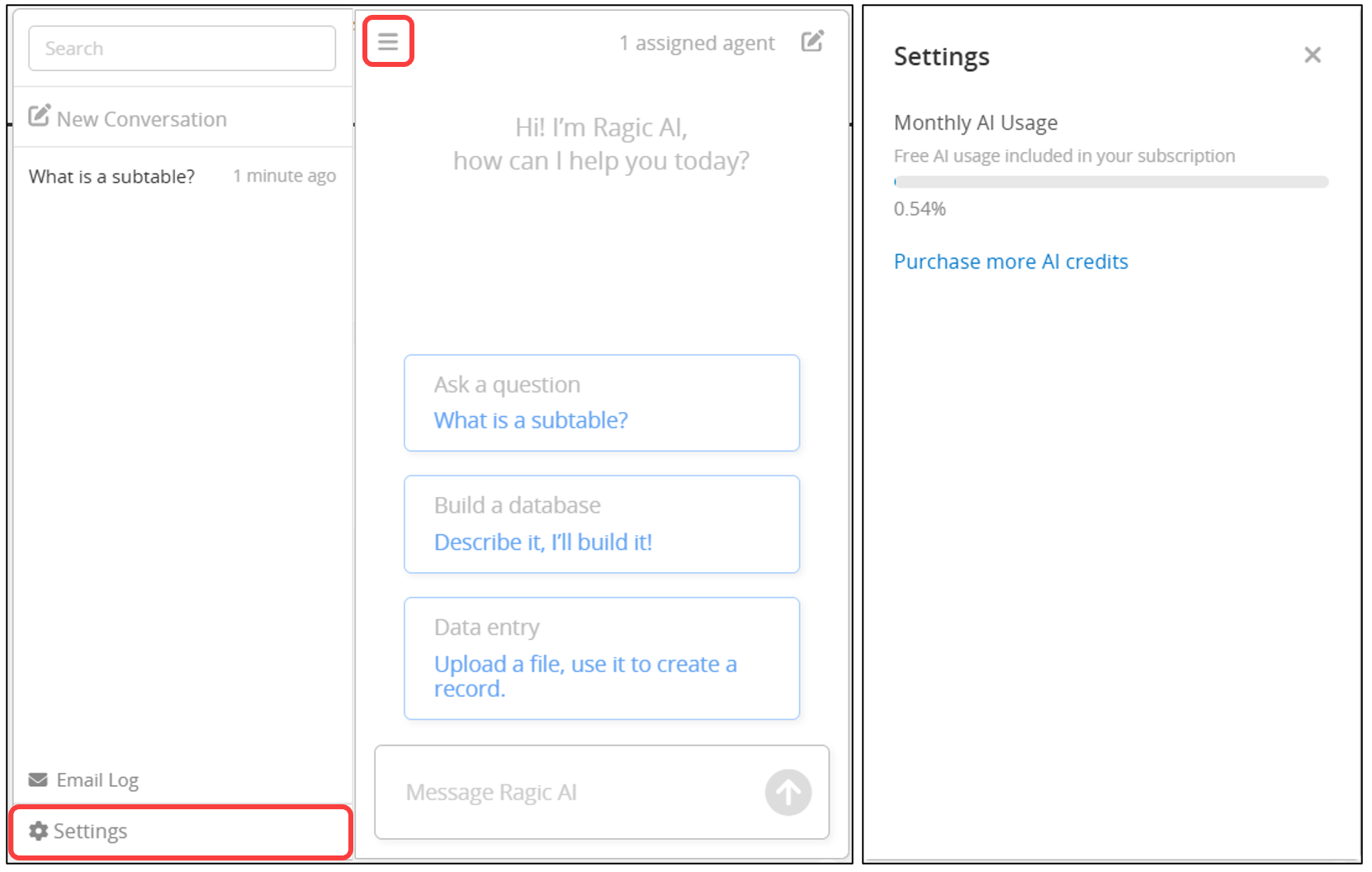
When AI Usage reaches 80% and 100% of the total usage, the system will automatically send notification emails to SYSAdmins. Once the free usage is used up, you can purchase extra usage to continue using AI features, or wait until the next month for the free usage to reset.
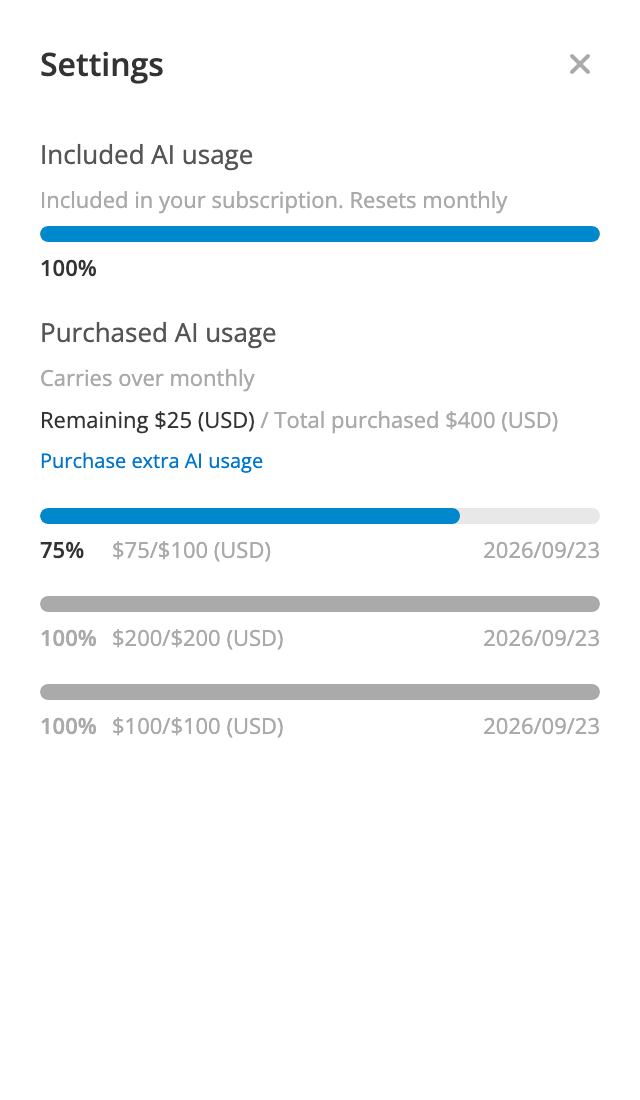
In the Purchased AI usage section, each purchase has its own usage bar, showing its remaining balance, total amount, and purchase date, so you can track the usage progress of each purchase separately.
 Thank you for your valuable feedback!
