 Design guide
Design guide
Design guide
If you need a fixed identity for API access or automation workflows, you can create a service account. The system will create an independent account and generate a dedicated API key for automation use, without consuming internal user licenses.
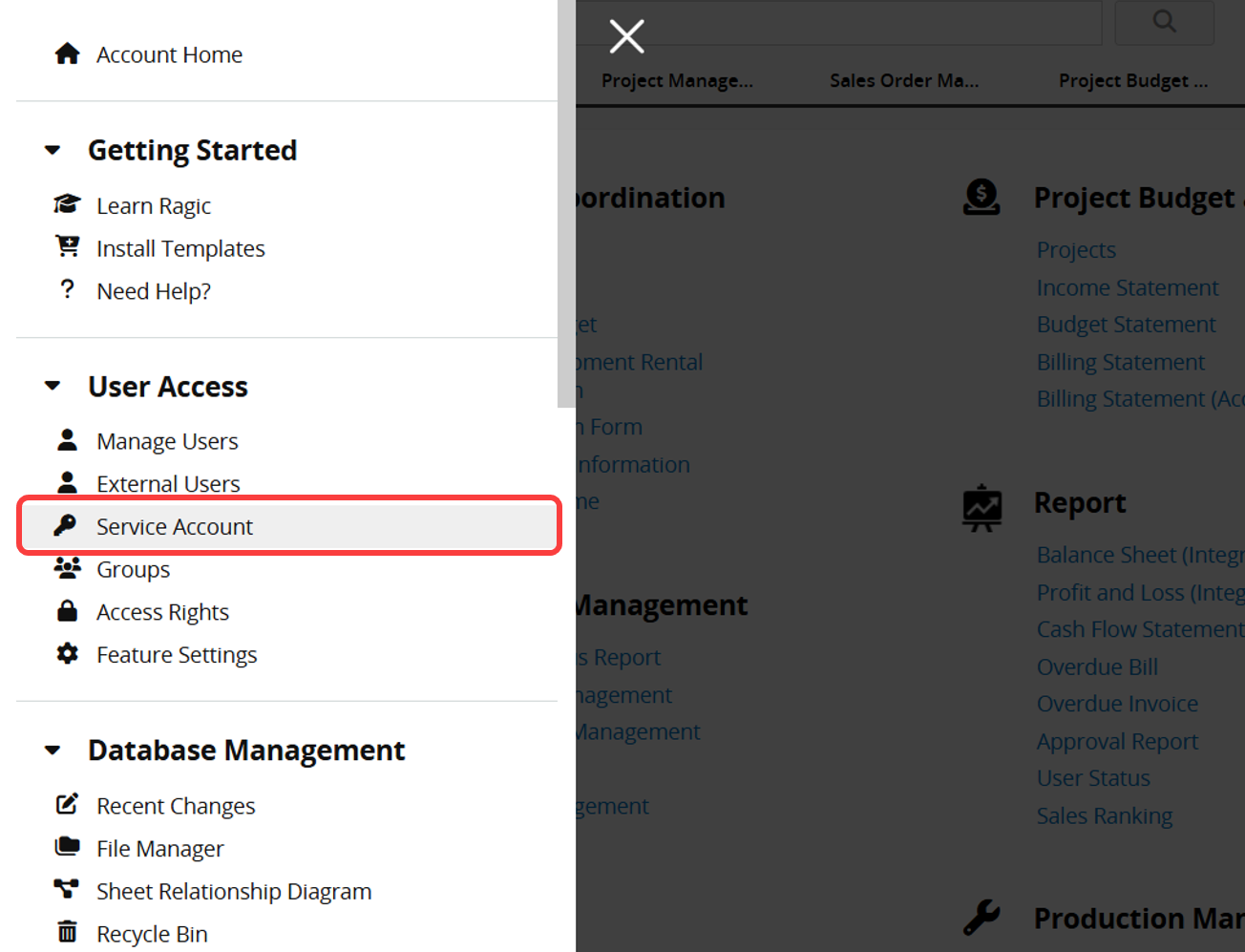
Click the hamburger icon in the upper left corner and select Service Account under User Access.
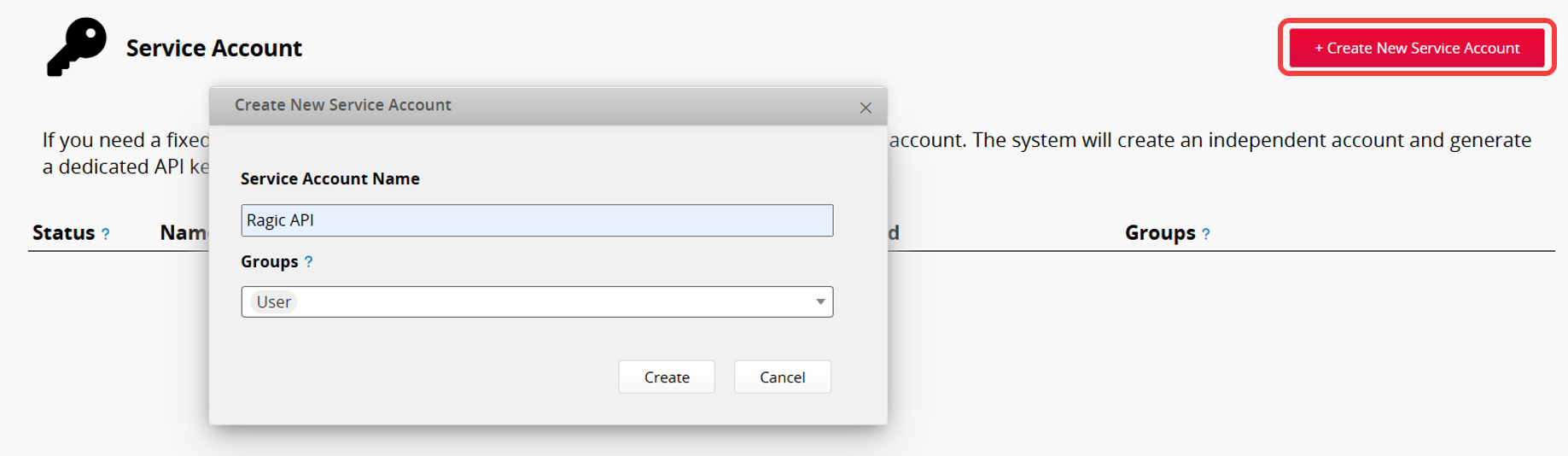
Click Create New Service Account in the upper right corner. Enter the Service Account Name, then select one or more groups under Groups. The service account will inherit the form permissions of the selected groups. If conflicts occur, the highest permission level will apply.
After the service account is created, a window will display its API key.
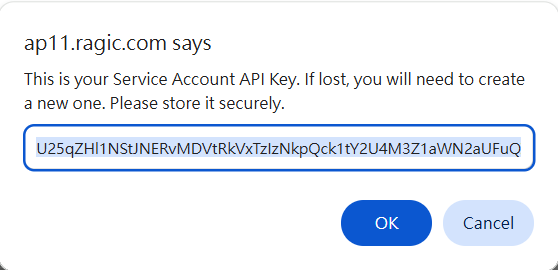
When you need to use the API key, you can use it directly. There is no need to generate it separately from Personal Settings.
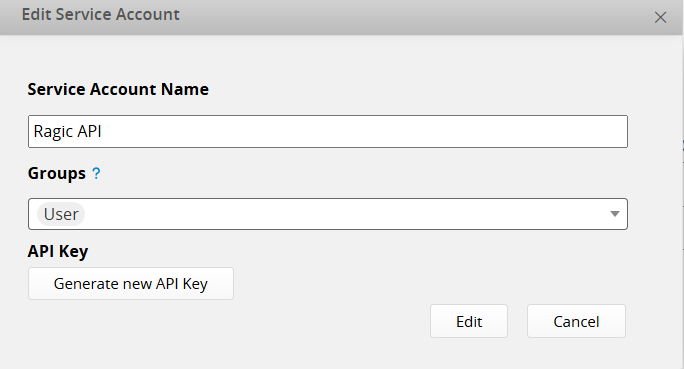
Click Edit on the right to generate new API key or modify the Service Account Name and Groups.

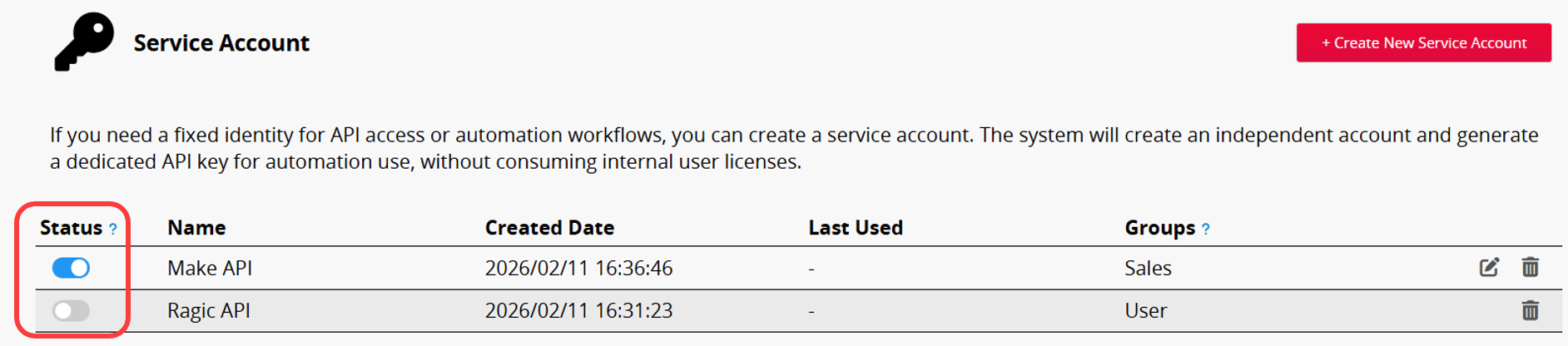
Use the Status toggle on the left to enable or disable Service Accounts. The Professional Plan or above supports multiple active accounts, while the Free and Lite Plans allow only one active account. Disable the currently active Service Account before creating a new one.
 Thank you for your valuable feedback!
