 Design guide
Design guide
Design guide
When using Ragic AI to Auto-Create a Record From an Uploaded File, you can improve field mapping accuracy by defining an AI prompt. For example, when submitting an expense report, you can upload a receipt image and have the system automatically extract and fill in the relevant fields.
Navigate to Form Settings under Design Mode in the left sidebar, then click the AI Settings tab.
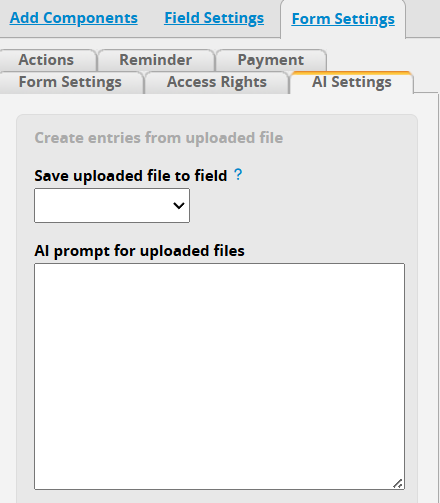
Save uploaded file to field: When creating records from uploaded files, the files will be saved to this field. If no field is selected, the files will not be saved.
Note: The uploaded file must match the format supported by the field. Otherwise, the file cannot be saved successfully.
AI prompt for uploaded files: Enter data extraction rules to help the AI accurately interpret uploaded files and fill in the sheet fields.
Using the following receipt and "Expense Report" as an example:
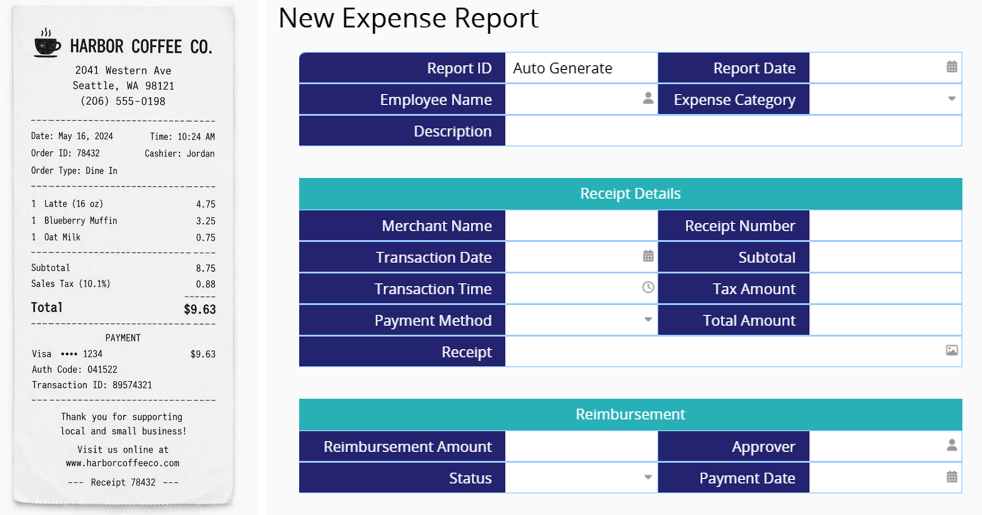
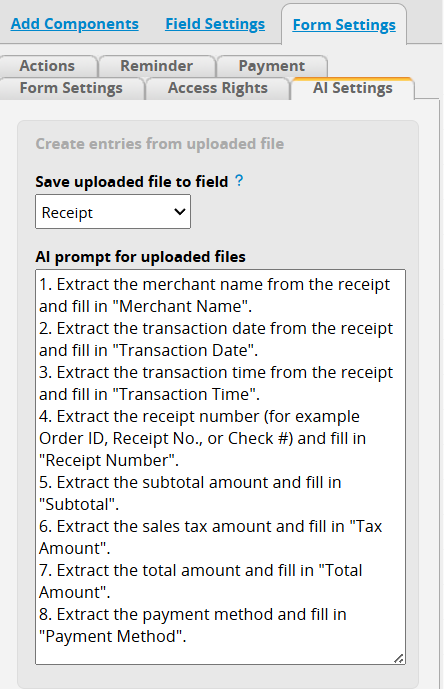
You can configure the AI prompt as follows:
1. Extract the merchant name from the receipt and fill in "Merchant Name".
2. Extract the transaction date from the receipt and fill in "Transaction Date".
3. Extract the transaction time from the receipt and fill in "Transaction Time".
4. Extract the receipt number (for example Order ID, Receipt No., or Check #) and fill in "Receipt Number".
5. Extract the subtotal amount and fill in "Subtotal".
6. Extract the sales tax amount and fill in "Tax Amount".
7. Extract the total amount and fill in "Total Amount".
8. Extract the payment method and fill in "Payment Method".
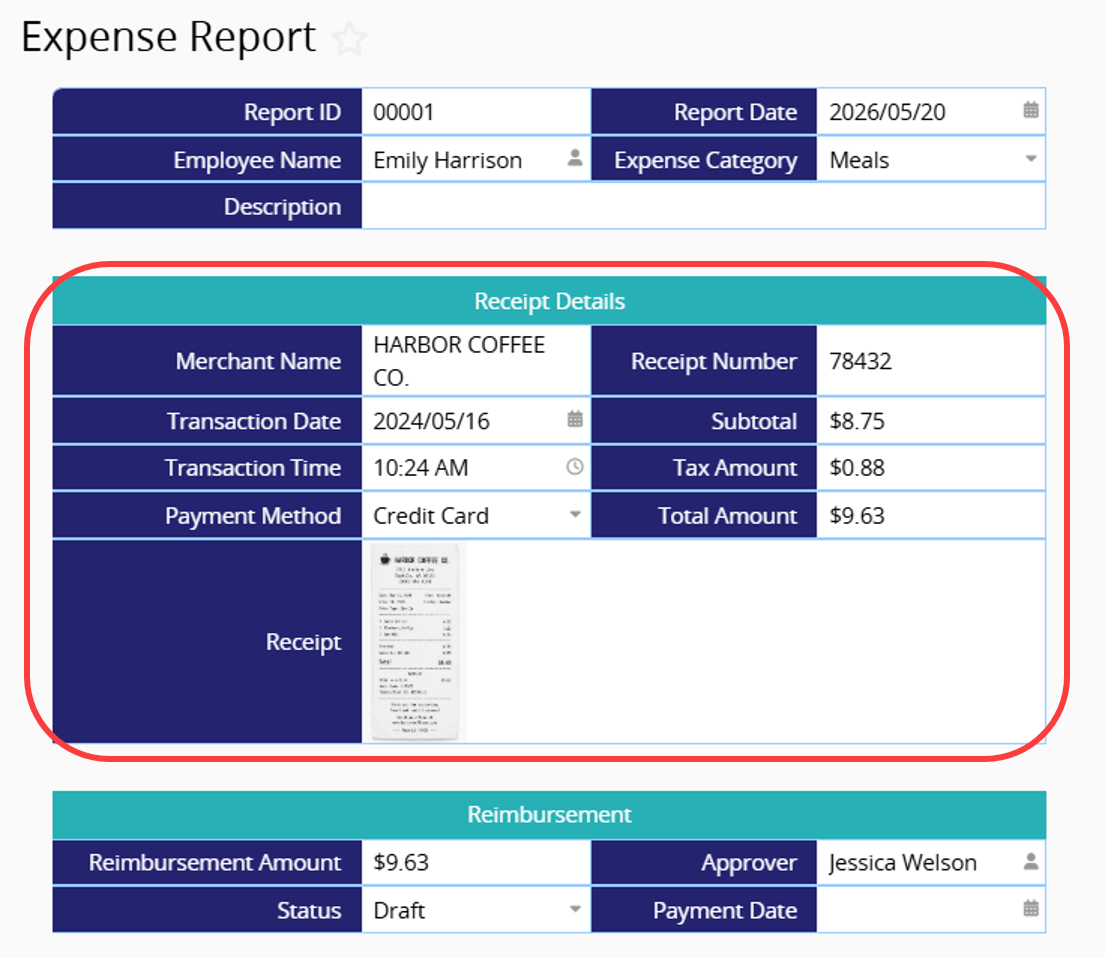
After completing the setup, when you upload a file to create a new record using Ragic AI, the system will automatically extract data based on the prompt and populate the corresponding fields. The uploaded file will also be stored in the specified field.
 Thank you for your valuable feedback!
