 FAQ
FAQ
FAQ
FAQ
If you want a record created through Convert Records to be automatically locked to prevent manual edits, follow the setup below.
Assuming records are converted from "Sheet A" to create records in "Sheet B", the setup steps are as follows:
1. In "Sheet B", create a field to identify whether the record was created via a conversion from "Sheet A". Here, we'll name this field "Lock Required?". You can hide this field to prevent users from manually changing its value.
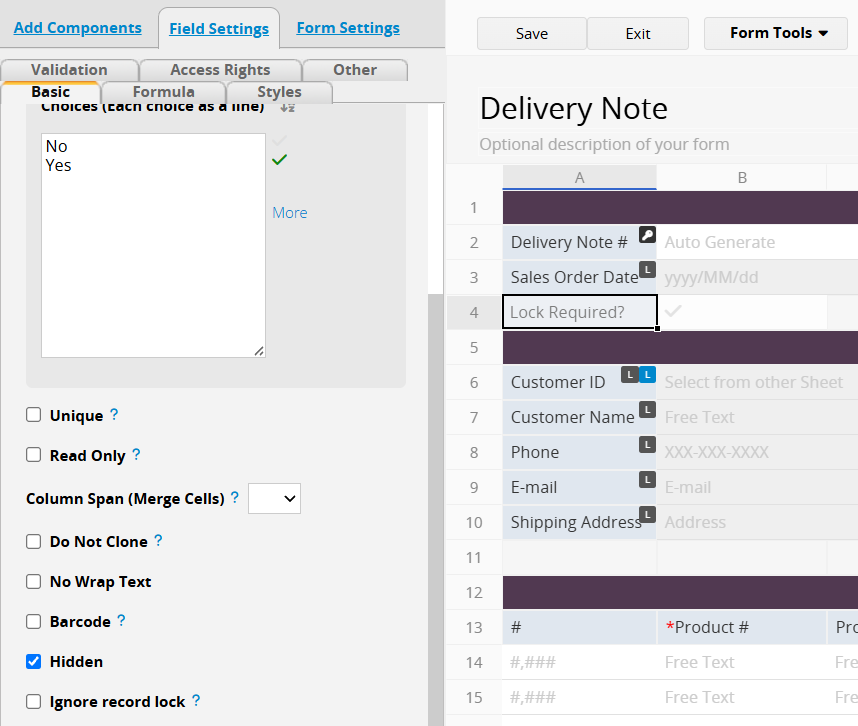
2. In "Sheet A", create a field with the same name, "Lock Required?", and apply a formula to return a fixed value of "Yes". When configuring the Convert Records button on "Sheet A", map the "Lock Required?" field on the target sheet ("Sheet B") to the "Lock Required?" field on "Sheet A", with the fixed value "Yes".
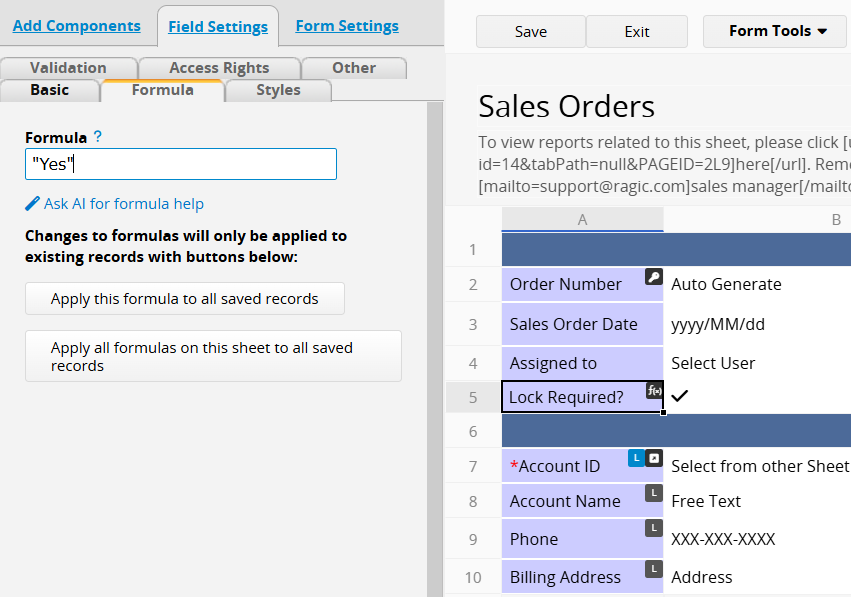
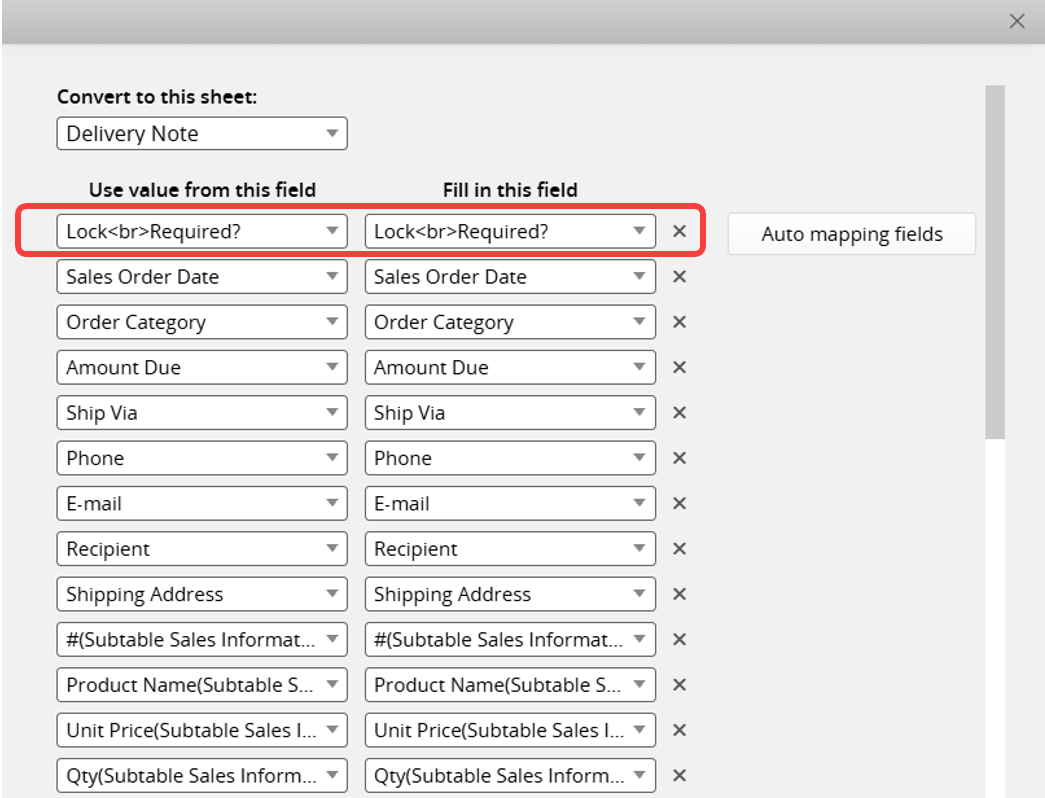
3. Following the setup described in How to Lock Entry When the Criteria Match?, set up "Sheet B" so that when the "Lock Required?" field equals "Yes", the record is automatically locked.
 Thank you for your valuable feedback!
