 Learning Center
Learning Center
Learning Center
In Ragic, we offer Ragic AI as your database assistant. It helps you quickly build databases, query and create records, and even automate everyday tasks. Click the AI icon in the upper right corner of the page to start using Ragic AI.
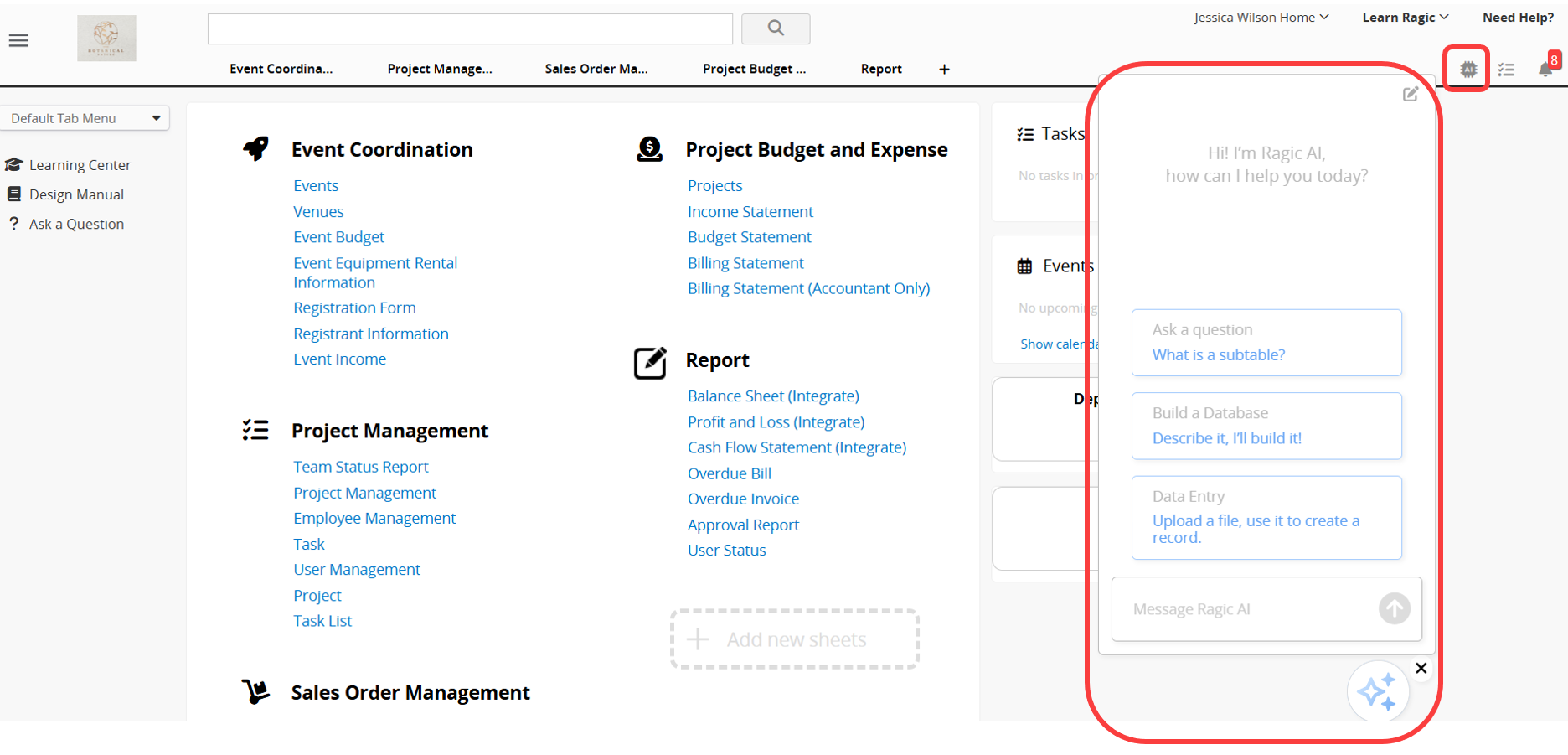
With Ragic AI, you can:
Ask questions about Ragic: You can ask Ragic AI questions about Ragic to better understand its terminology and features. For example, if you ask, "What is a Subtable?", Ragic AI will provide an explanation.
Build and query databases: By describing your system requirements, Ragic AI can automatically create a series of related sheets. You can also ask Ragic AI to query data in your sheets.
Auto-create a record from an uploaded file: Upload an Excel, PDF, or other file, and Ragic AI will read the content and populate the corresponding fields to quickly create a new record.
Use @ to call AI for automated task execution: You can call AI by typing @Ragic AI to analyze sheet data, update or create records, export files, or send emails, improving overall operational efficiency.
Assign agents to Ragic AI: You can assign multiple long-term tasks to Ragic AI, for example, automatically checking sheet entries, filling in fields, sending email notifications, or replying to emails.
With Ragic AI, you can easily build a database from scratch, quickly import data from existing Excel or PDF files, and assign AI to automate routine tasks. This makes working with the database smoother and significantly improves productivity.
 Thank you for your valuable feedback!
