 Learning center
Learning center
Learning center
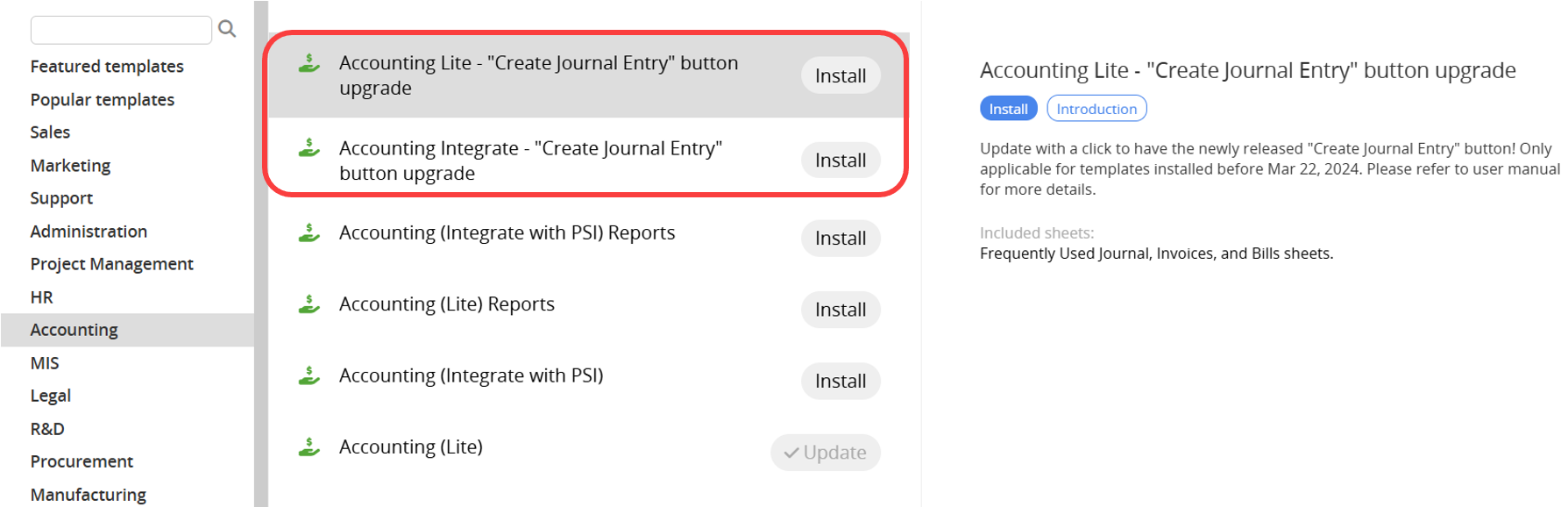
Since Mar 22, 2024, "Accounting" templates have supported the "Create Journal Entry" Action Button, which allows you to generate a "Journal Entry" with a click! For users who have installed the template before, please go to the Install Templates, and click "Install" on either the "Accounting Lite – 'Create Journal Entry' Button Upgrade" or the "Accounting Integrate – 'Create Journal Entry' Button Upgrade" to perform the upgrade.
Note:
1. If you haven’t installed the templates before, the upgrade package isn’t applicable. Please refer to the "Accounting (Integrate)" or "Accounting (Lite)" templates. They’ll include this feature by default.
2. If you’ve previously customized any sheets in the template, these customizations will be reverted to the default version. You can retrieve your previous sheet designs using Sheet and Field Version History. Please reconsider whether you still want to upgrade.
 Thank you for your valuable feedback!
