 Learning Center
Learning Center
Learning Center
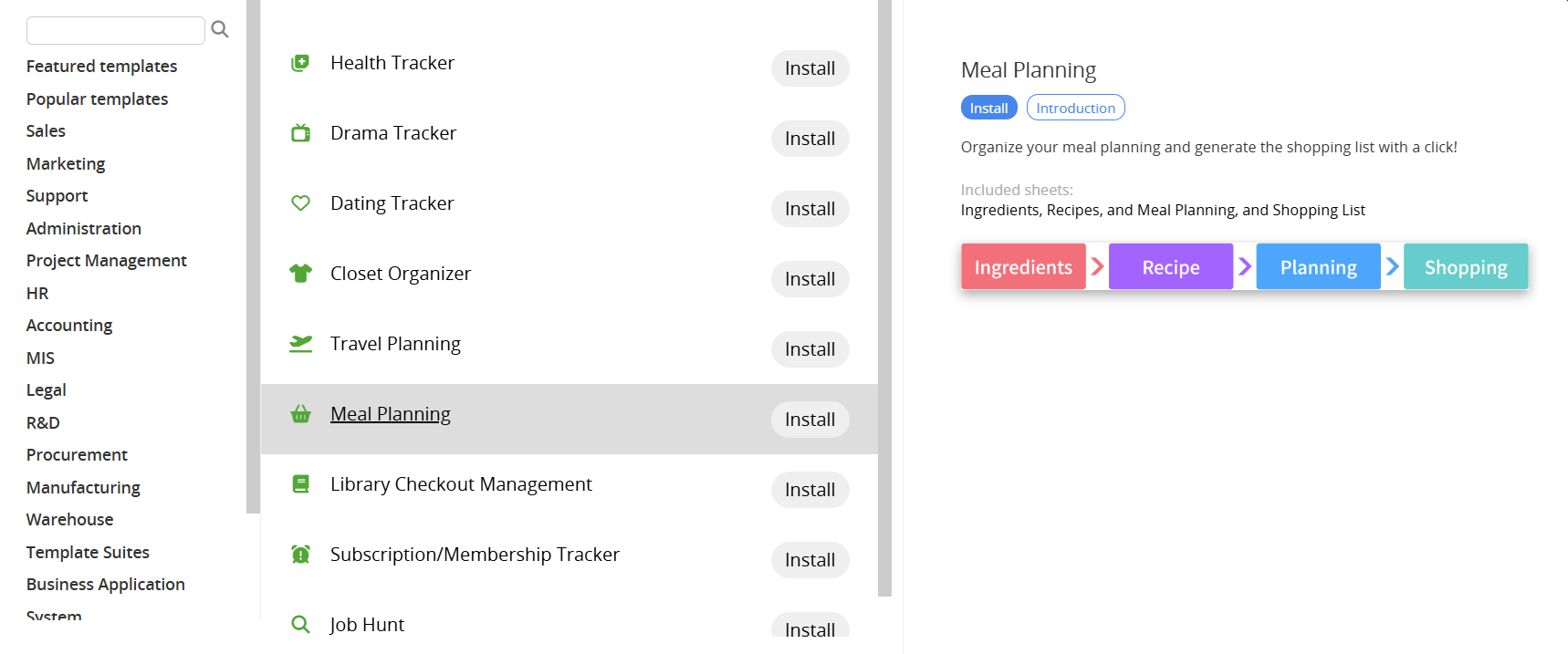
If you don’t have a Ragic account, click here to sign up and install the "Meal Planning" template. This entire process is free, and we will not charge you without your consent.
If you are already a Ragic user, you can find the "Meal Planning" template under the "Life" category in Install Templates and click "Install" to download it.
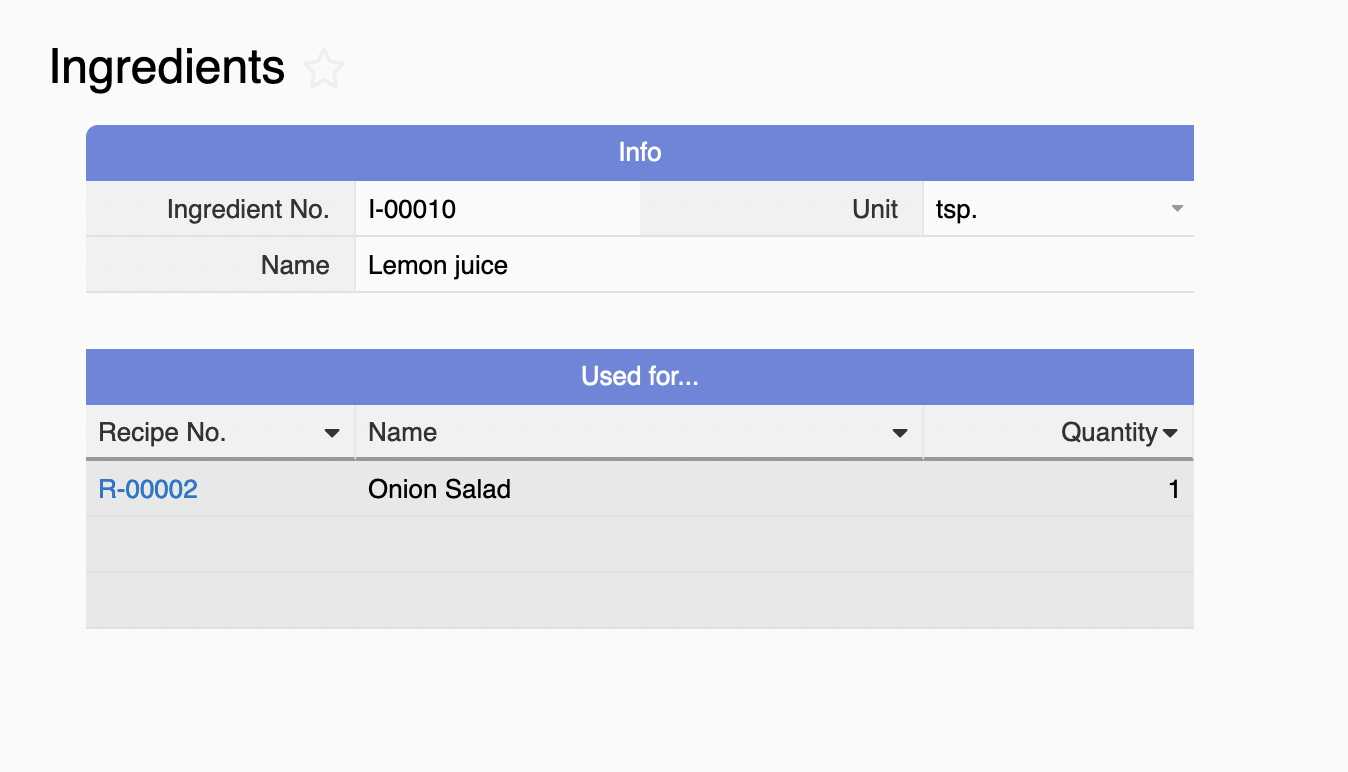
In the "Ingredients" sheet, please create entries for all ingredients that will be used in recipes and select the corresponding unit of measurement. If an ingredient has different units of measurement, please create separate entries for each type.
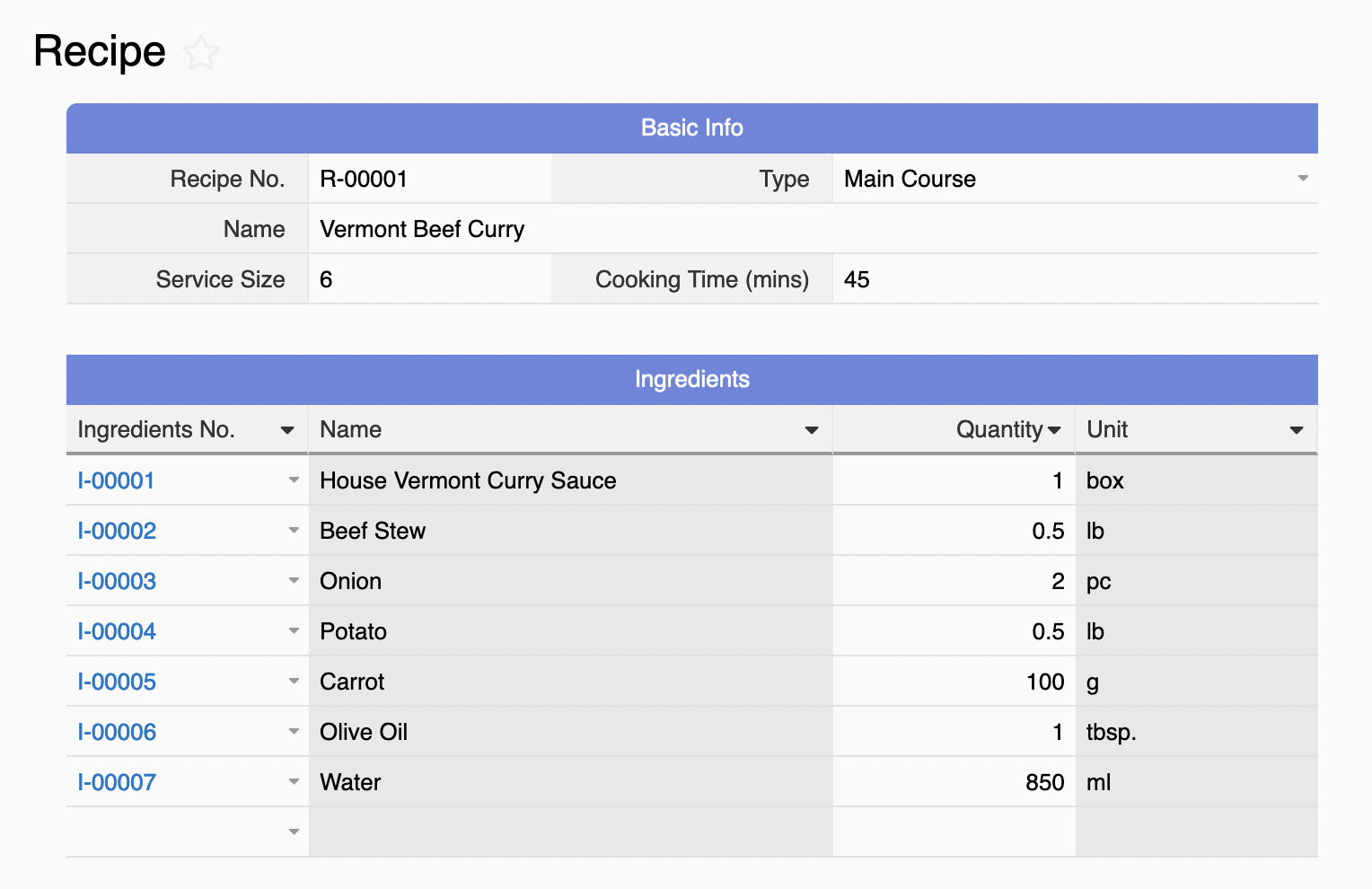
In the "Recipes" sheet, please create entries for the recipes you collected and mark the servings. Then, input the required "Ingredients" and "Quantity" in the subtable.
Note: the field with * is a Not Empty field, while others are optional.
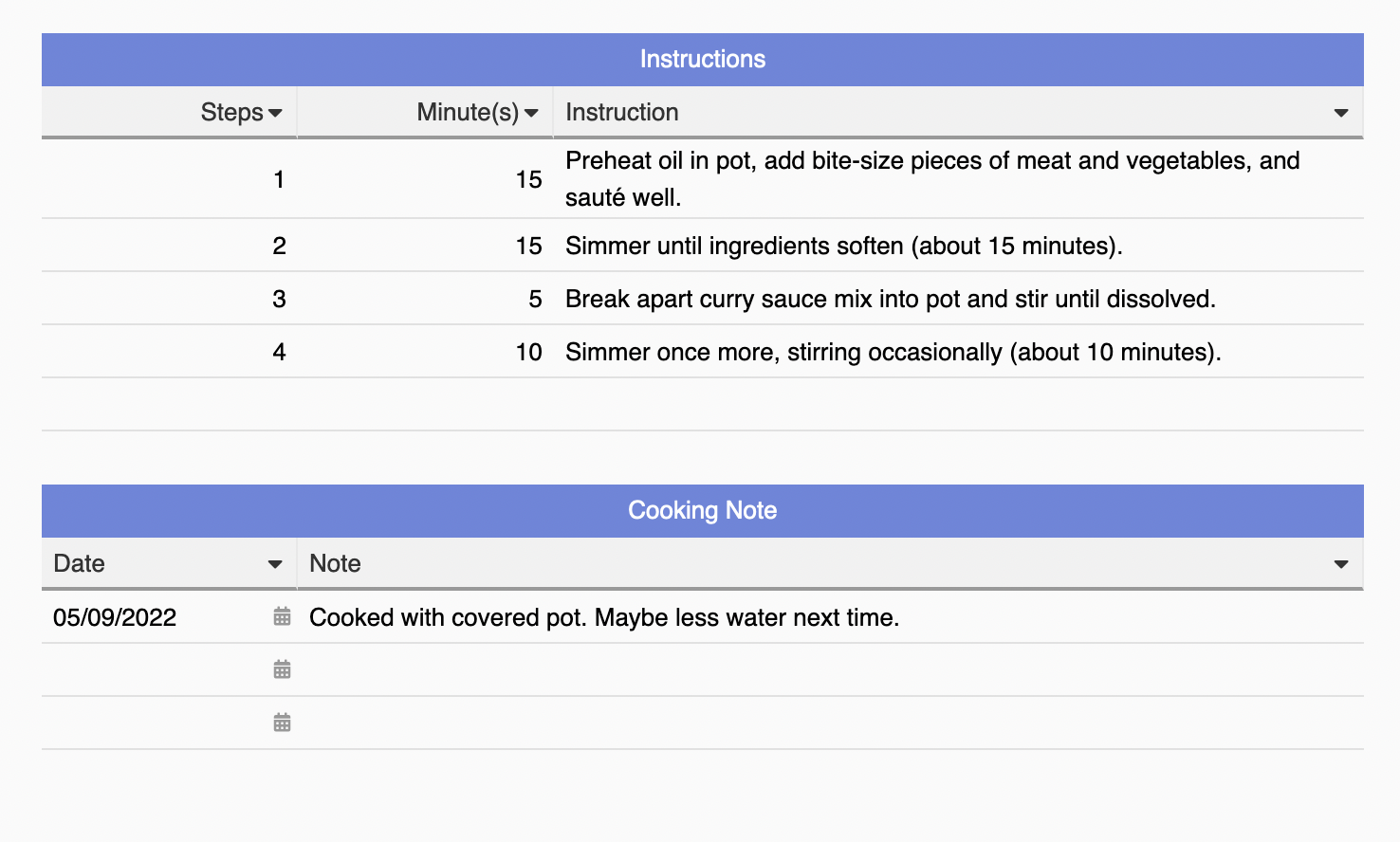
You may also input the instructions and cooking notes if necessary.
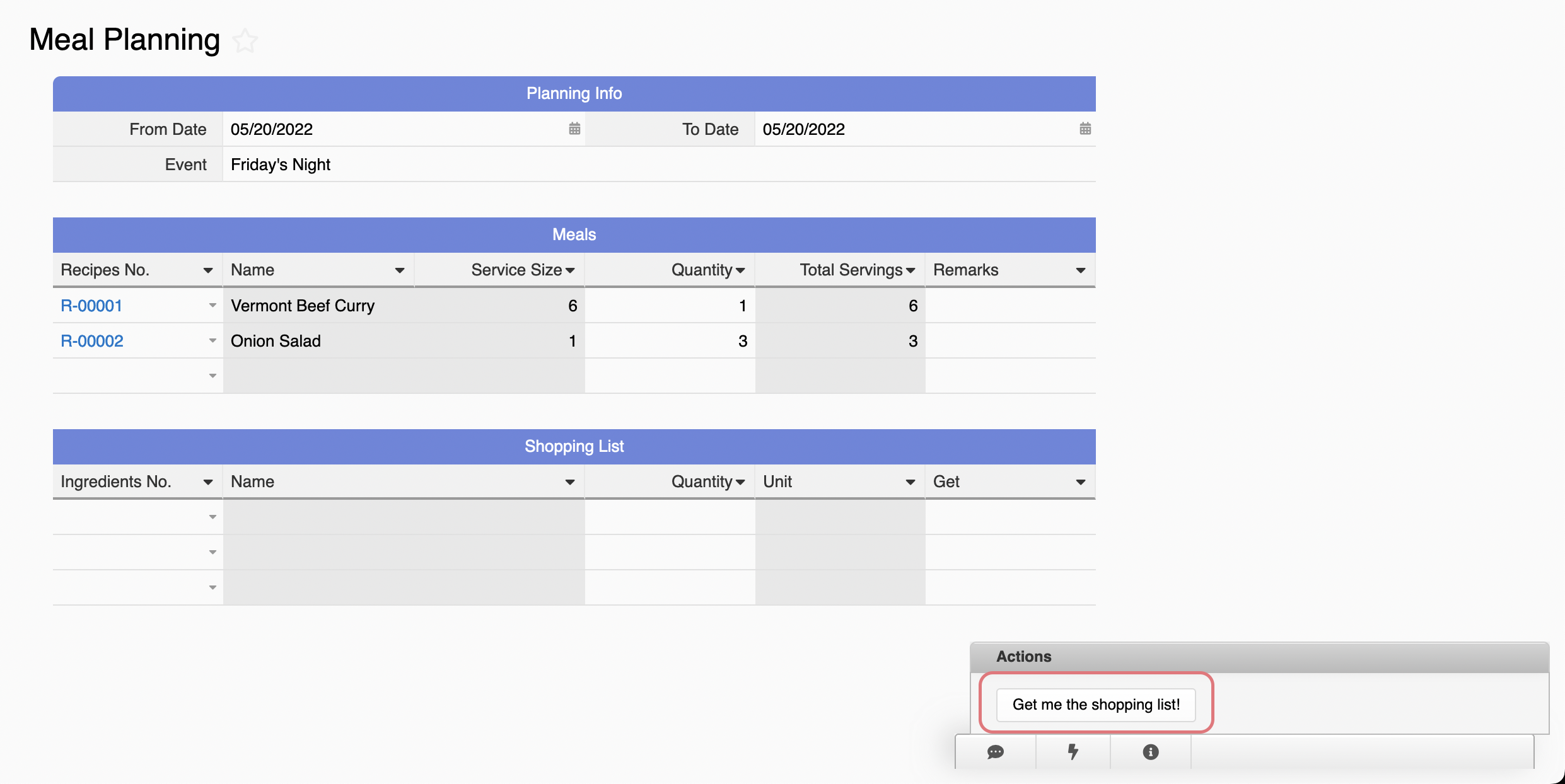
In the "Meal Planning" sheet, please enter basic info such as start date, end date, and event. Then, select the recipes and quantity in the Subtable. The system will calculate the final servings for you. Once completed, please click on the "Get me the shopping list!" Action Button at the lower right corner to have a consolidated shopping list:
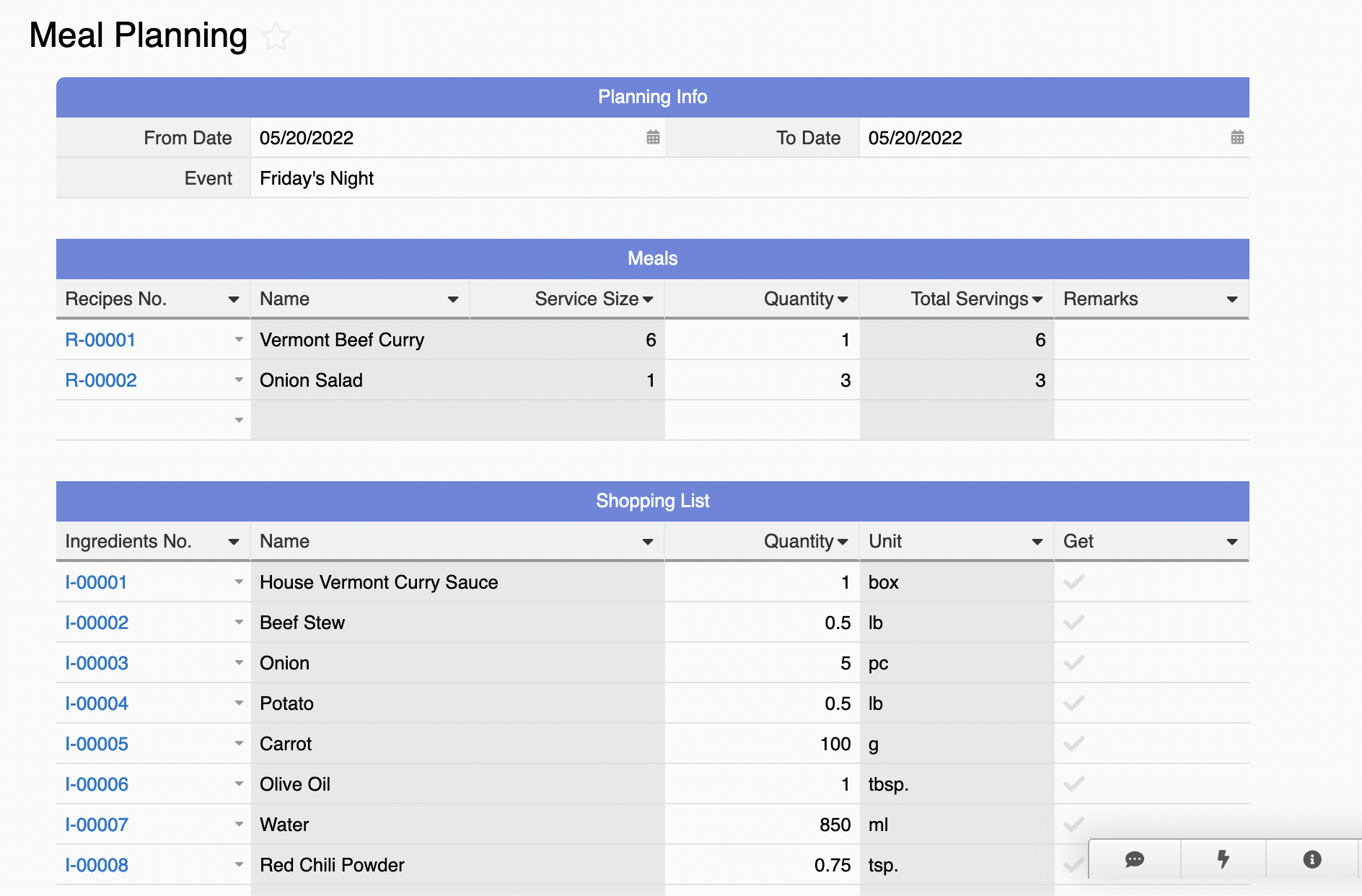
Tips:
1. If you updated the recipes or quantity, please re-click on the Action Button to update the shopping list.
2. Once the shopping list is generated, you can add more lines if there are extra groceries you would like to purchase.
3. We now support consolidating the ingredients with one event entry. Hence, we would suggest planning multiple dates or events within one entry.
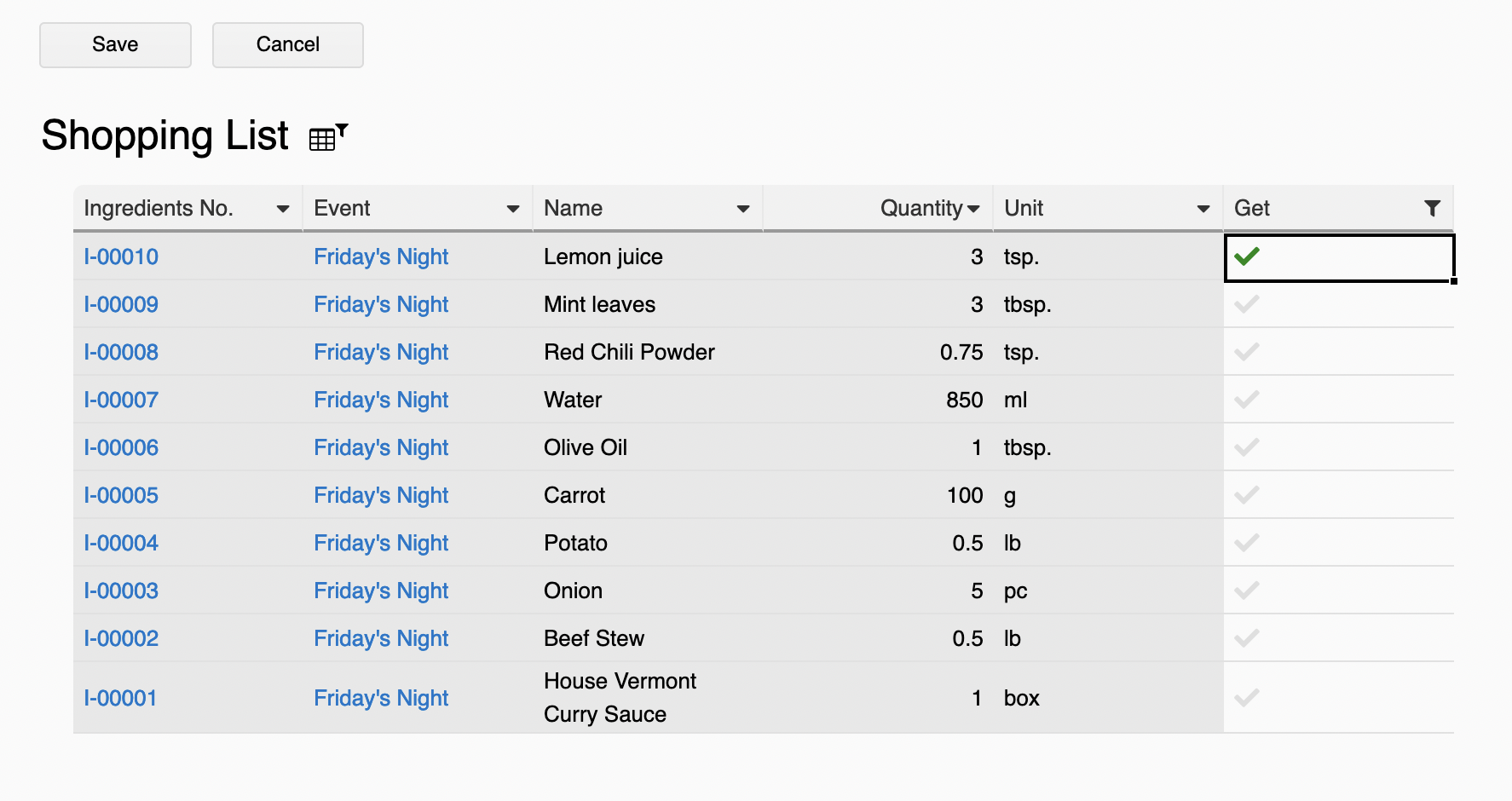
You can manage the shopping list from the Subtable under the "Meal Planning" sheet or access it from the "Shopping List" sheet. In the "Shopping List" sheet, we've applied a Default View so it only shows items that need to be purchased. Once you get them, please check the "Get" field:
It's unrealistic to have a shopping list that can only be accessed via a computer, right? No worries, we provide the Ragic App on the Android/iOS store so that you'll be able to access it anytime, anywhere.
If you're not the only one who will do the grocery shopping, you can Share This Entry or Share This Sheet with your family or friends.
Any suggestions for the meal planning template? Feel free to contact us at support@ragic.com!
 Thank you for your valuable feedback!
