 Learning center
Learning center
Learning center
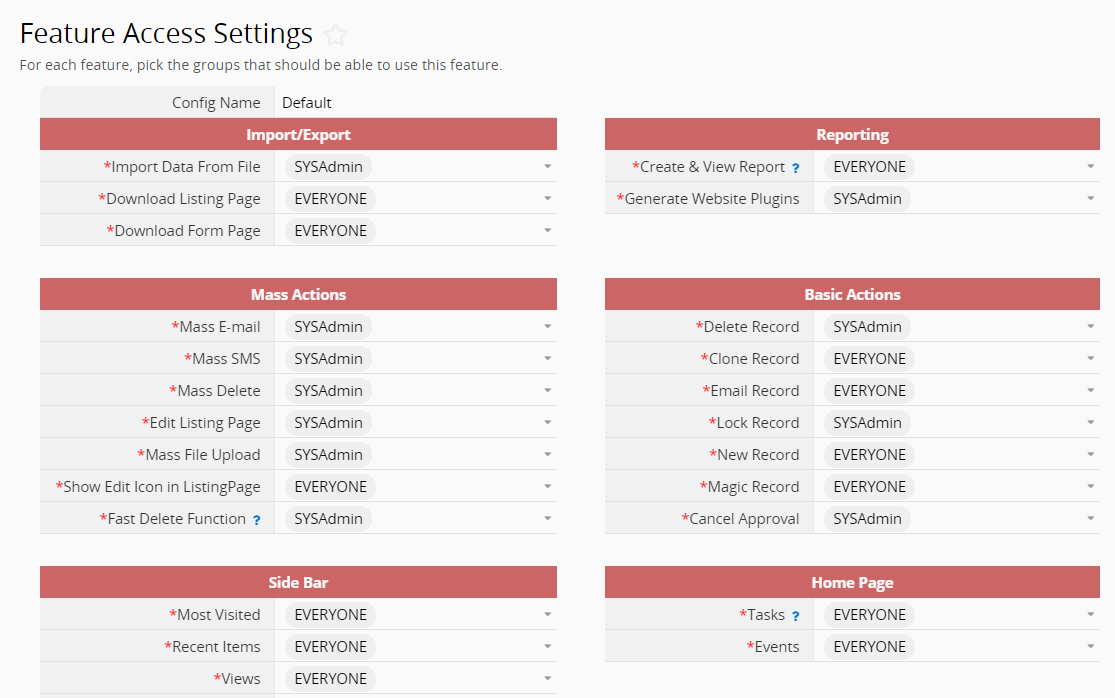
In a collaborative database, different users may require access to different features, while others may need certain features restricted. To prevent errors and protect data integrity, you can use Feature Access Settings to control which features are available to each user group.
For example, you can prevent general users from performing batch deletions and allow only managers to export or delete records.
Click the hamburger icon, then select User Access > Feature Access Settings. Here, you can set the accessible user groups for every Ragic feature.
 Thank you for your valuable feedback!
