 Learning center
Learning center
Learning center
The Convert Records button can help you copy field values in a record from one sheet to another, saving you the time of re-entering data when two sheets share similar but not identical content. Common use cases include converting "Quotations" to "Sales Orders", "Sales Orders" to "Delivery Notes", and "Purchase Requisitions" to "Purchase Orders".
Convert Records offers two modes:
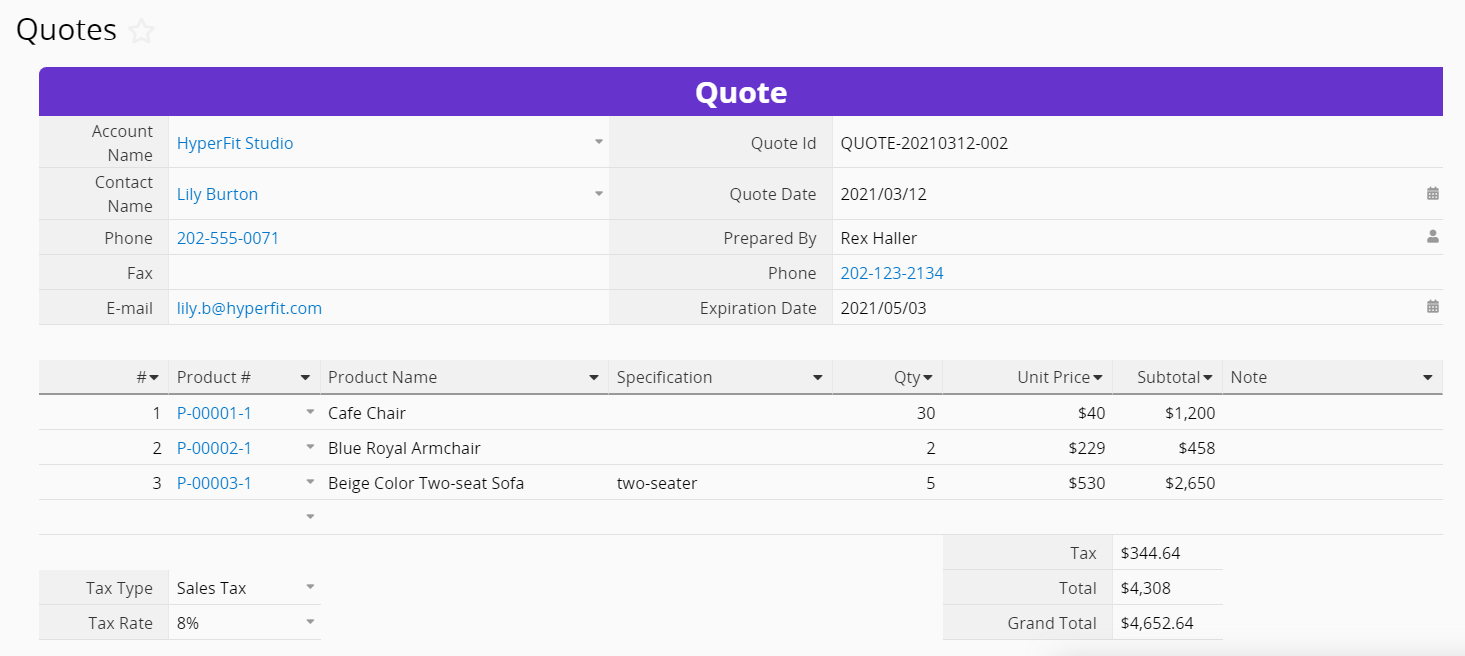
Let's say we already have "Quotes" and "Sales Order" sheets in the database, and their designs are very similar.
"Quotes" Format:
"Sales Order" Format:
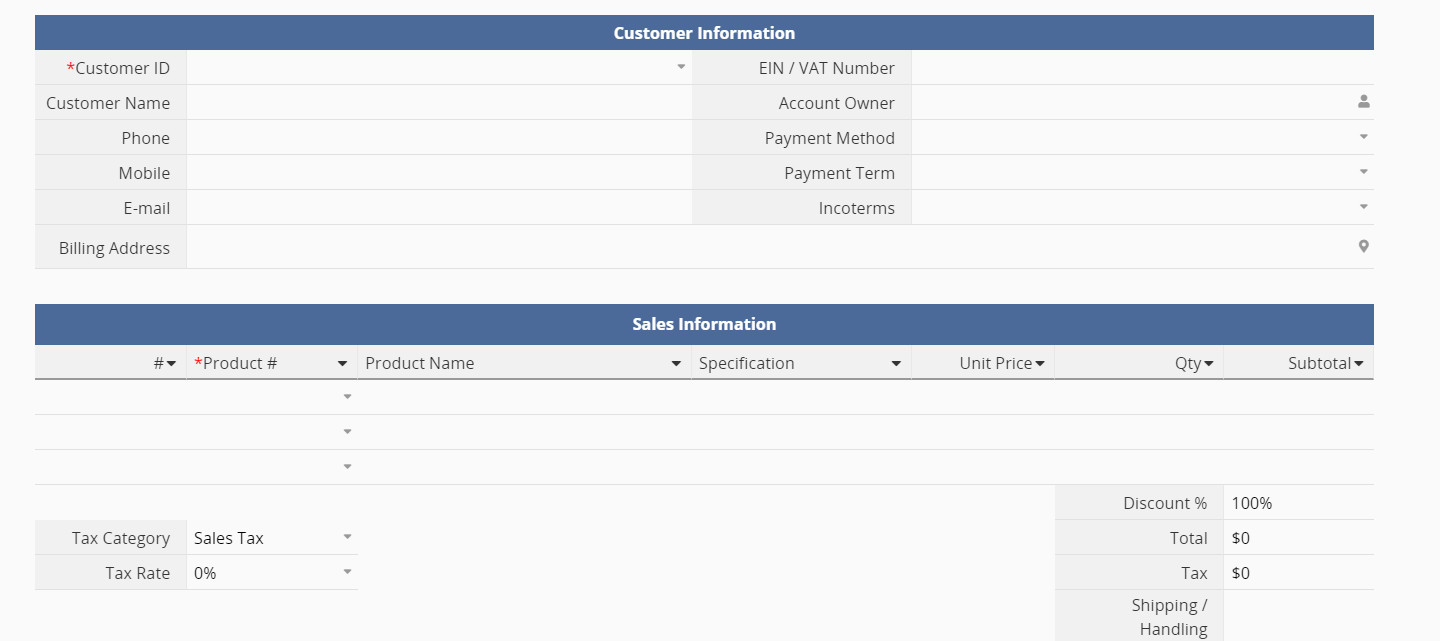
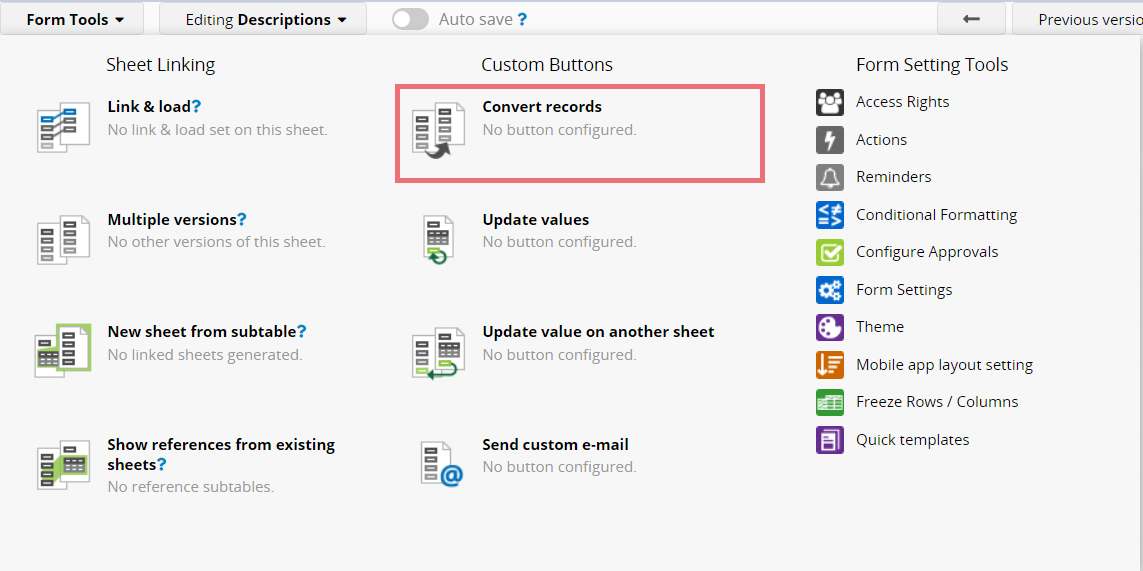
When a client has placed an order, we can execute the Convert Records button to convert from the "Quotes" sheet to the "Sales Order" sheet, instead of manually re-entering clients' information and order details. Navigate to the Design Mode of the Quotes sheet's Form Page. Click on Form Tools and select Convert Records.
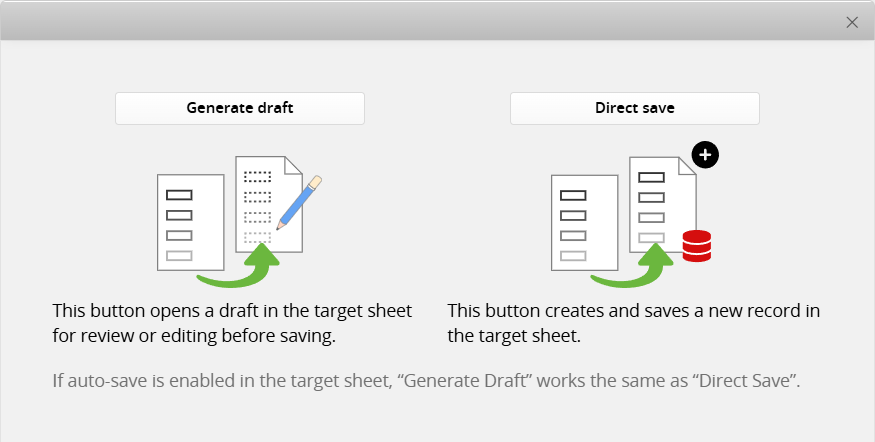
Choose the mode you would like to use. If you select Convert Records: Generate Draft, please note that some Field Types and use cases have limitations. For details, please refer to the Limitations section.
Select which sheet to convert to and map the fields.
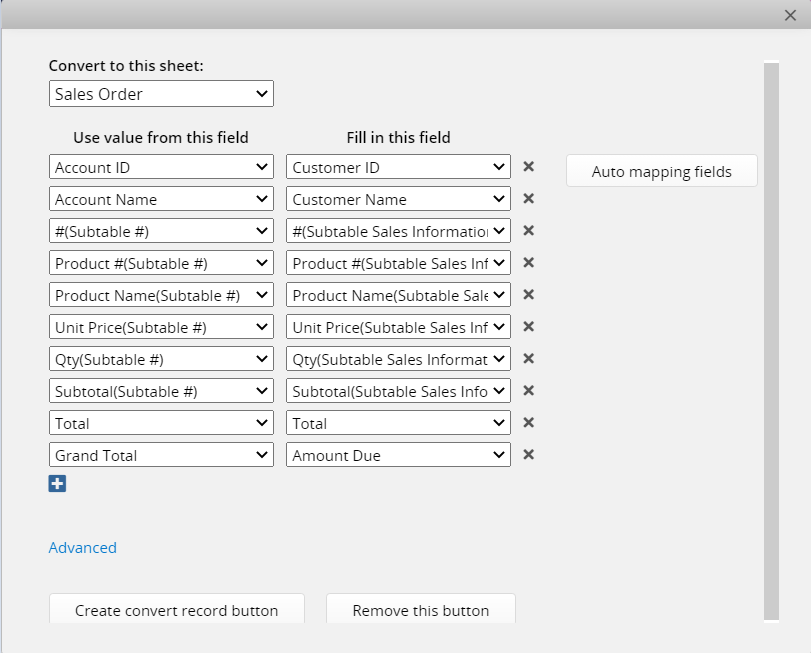
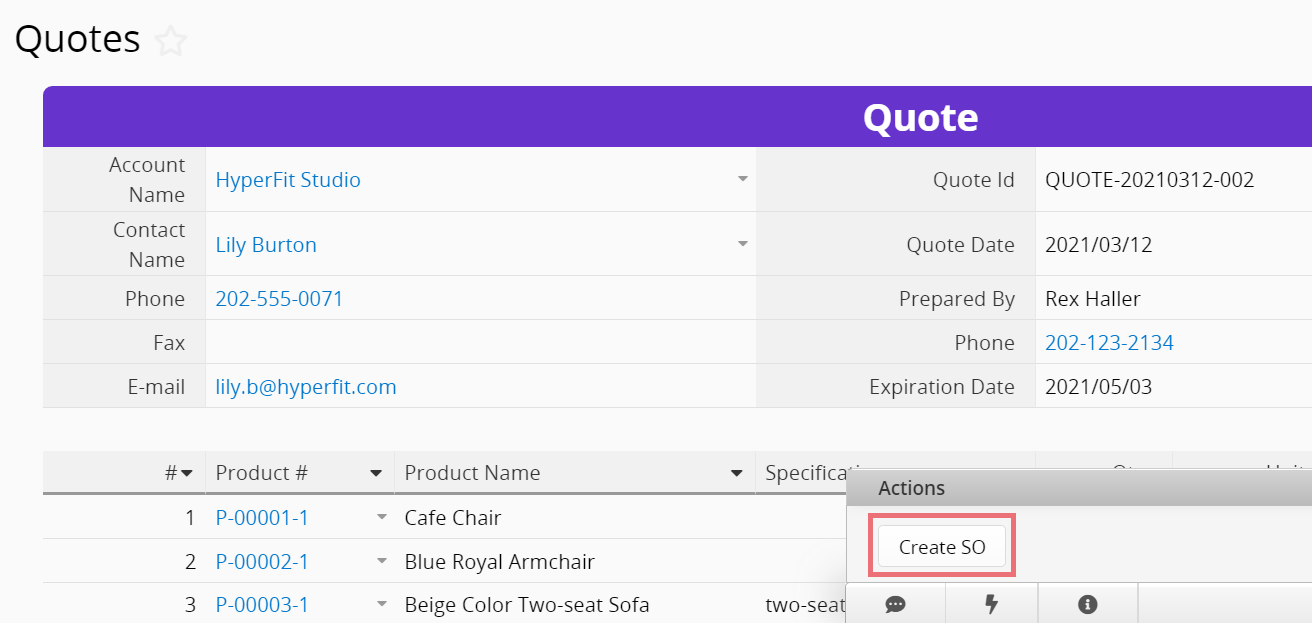
After saving the settings, click the button to execute the conversion.
The following advanced use cases apply to Convert Records: Direct Save.
(1) Only converting part of the records in the Subtable: For example, if you would like to convert a "Sales Order" to a "Delivery Note", yet not all the products on the "Sales Order" would need shipping, you can add a field to state whether the product would need shipping.
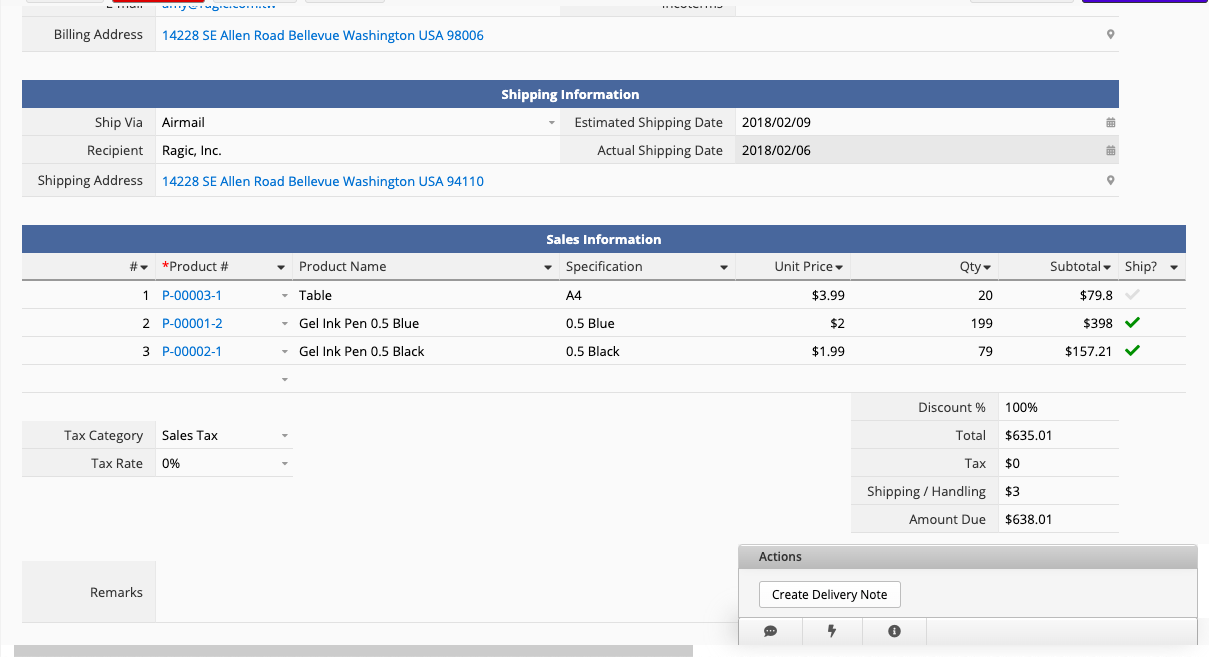
In this case, you may apply Subtable Filtering Criteria to only convert Subtable records matching the designated condition.
(2) Group the records and create a new record for each group while converting: For example, we want to convert the Subtable records to another sheet, but wish to only create a new record for each salesman, and the other affiliated data would be populated in the Subtable.
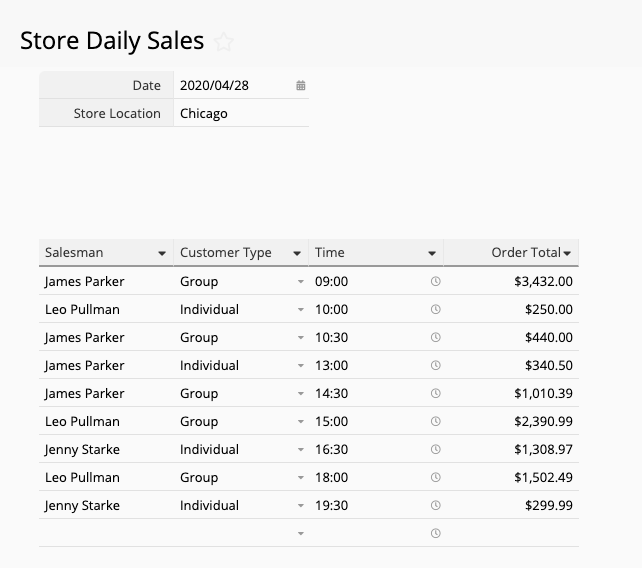
In this case, you may apply Subtable Grouping Criteria.
 Thank you for your valuable feedback!
