

How to Create Product, Material, and Item Number Codes? 5 Best Practices, Examples, and Common Mistakes Explained

When working with ERP systems or listing products on e-commerce platforms, you're often required to assign a unique identifier to each item, which can come in the form of an "item number." "material code," or "product ID," among others. This practice is known as product coding. Many of us are used to creating these codes, but it's worth understanding why we need to code products in the first place.
For example, ballpoint pen refills from different brands can vary in compatible pen models, colors, and tip sizes. If we labeled them all simply as "ballpoint pen refills," we wouldn't be able to tell them apart. That's why each one needs its own "identity card" or item number to clearly distinguish them.
However, when coding is done carelessly or without clear rules, problems can quickly emerge. Some are minor, like overly long, hard-to-read codes; but others can be much more serious. For instance, different employees might unknowingly assign the same product number, creating duplicates. This defeats the purpose of having unique identifiers and can lead to issues ranging from selecting the wrong item to system errors or even crashes caused by conflicting data.
On the other hand, you can also set up clear naming rules. For example, use "HA" for hats and "GL" for gloves. Incorporating categories into codes like these makes items easier to find and group together.
Now that we've covered why product coding matters, let's walk through 5 best practices to help you create effective, easy-to-follow product coding rules, step by step!
1. Ensure Code Uniqueness
The main goal of product coding is to make each item uniquely identifiable. So, what kinds of behaviors might compromise product number uniqueness and make the coding system ineffective?
One common issue is failing to follow internal rules. For example, branches, stores, and downstream channels might ignore the manufacturer's original product numbers when recording items. If the original manufacturer codes happen to be the same, different items can end up having the same material code or product number, which creates an unwanted duplicate.
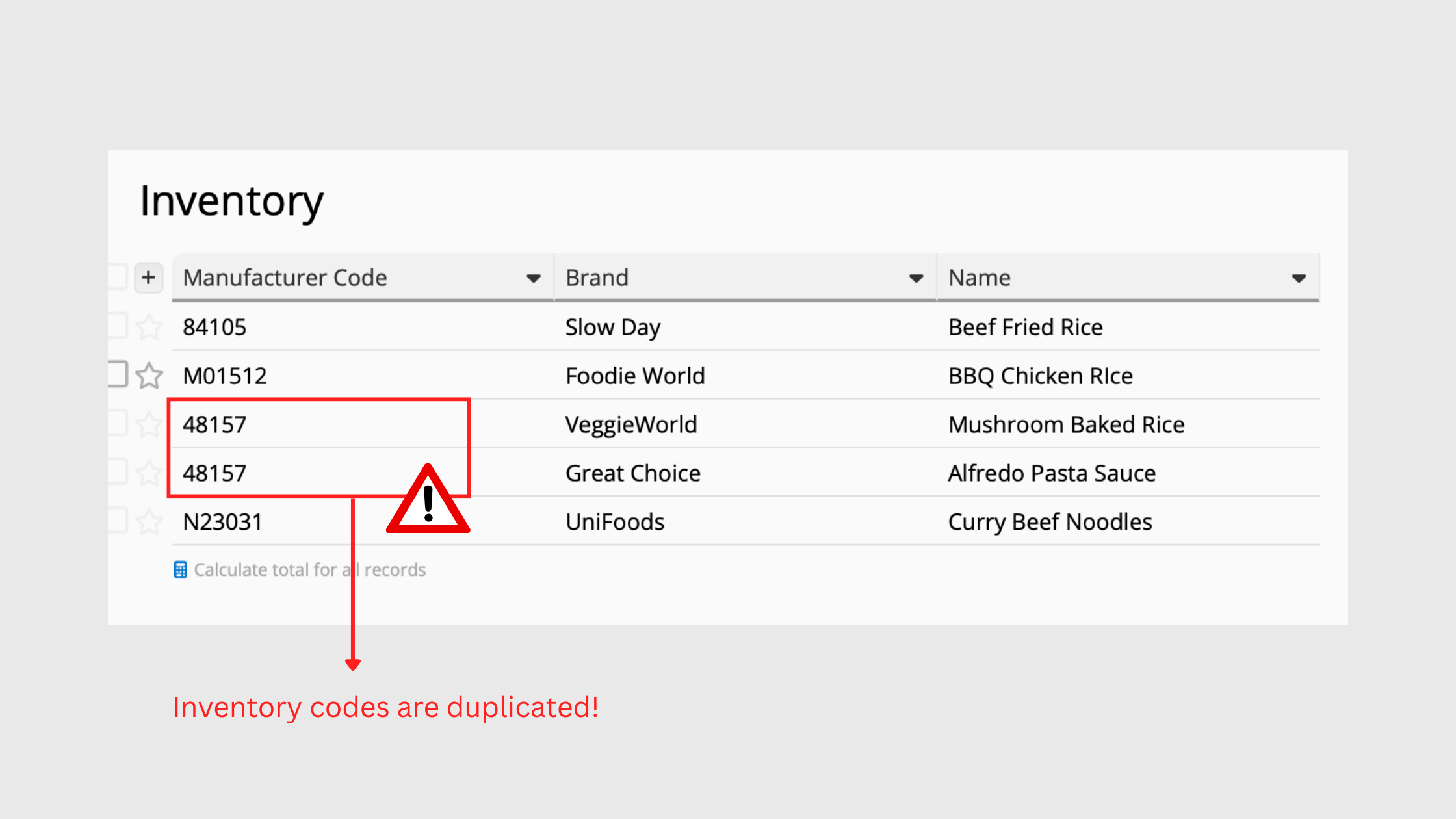
Another potential problem is the absence of a universally applied, unique coding system. In companies with multiple departments, each team may develop their own internal coding system to optimize efficiency. This can result in the same code being used for different items across departments.
To maintain uniqueness, it is best to re-code all external materials and products internally. Coding rules should be standardized across all departments, coordinated collaboratively, and strictly enforced. To further prevent conflicts, you can leverage the "non-duplicate" or "unique" setting in your information system, or use Excel's data validation feature to ensure duplicate codes cannot be entered.
2. Avoid Changes
Many unexpected situations can lead to changes in product codes, and arbitrary modifications can compromise their uniqueness. That's why it is essential to regularly check for code conflicts and verify whether an item already exists in the database.
In general, changes fall into 3 categories: 1. Changes to the code itself, 2. Changes in classification, and 3. Differences in judgement between personnel.
1. Changes to the code itself: Once a code has been assigned, it should never be changed or deleted arbitrarily. Doing so could make it impossible to retrieve historical data or locate the corresponding item in the future.
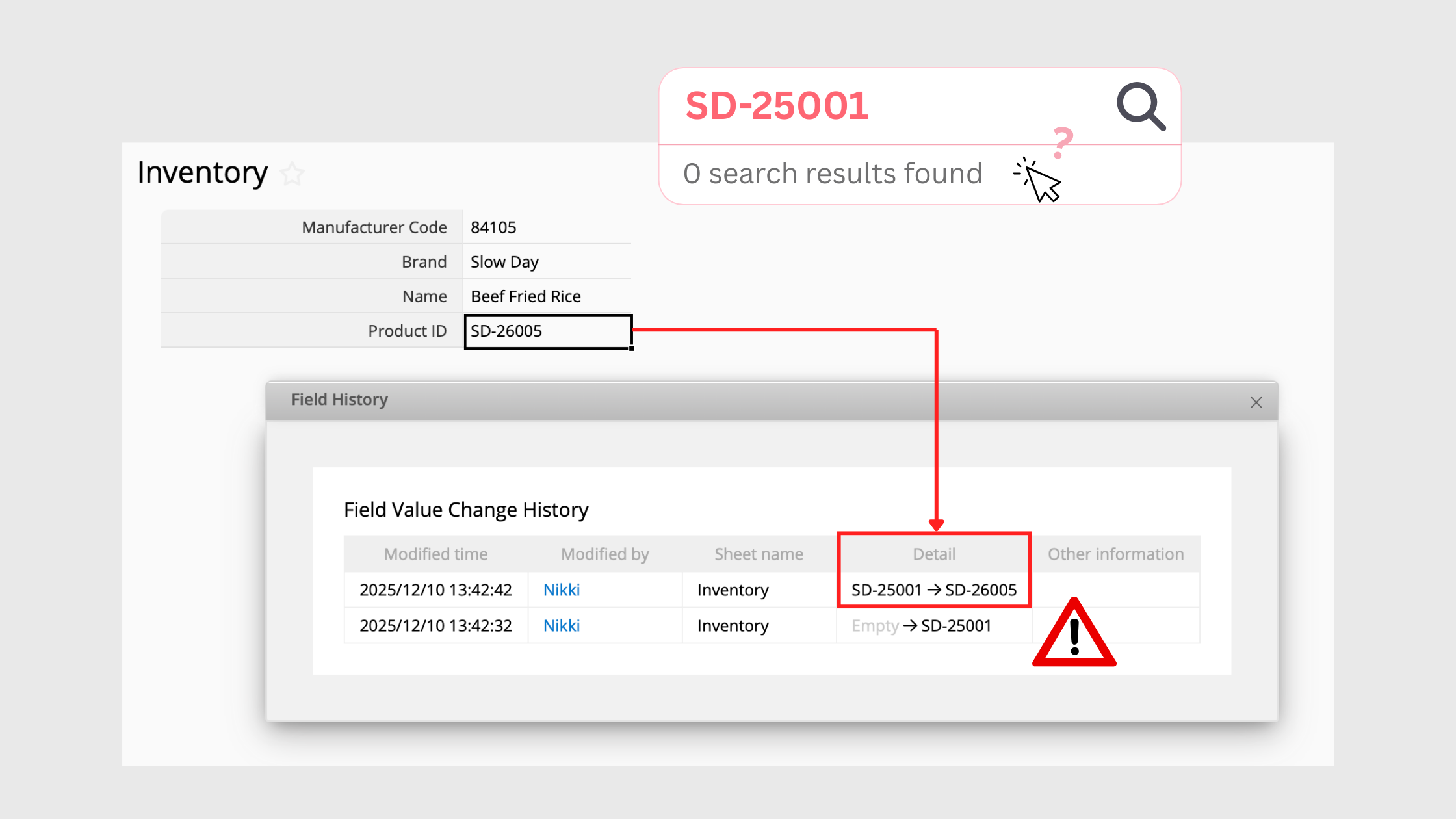
2. Changes in classification: If coding includes elements like product price or inventory location, these codes can quickly become confusing when price changes or items are moved between warehouses.
That is why it is important to carefully choose which attributes are used for coding. For example, in manufacturing and retail, factors such as item type, physical or chemical properties, functionality, and intended purpose are far more reliable for creating stable, meaningful codes.
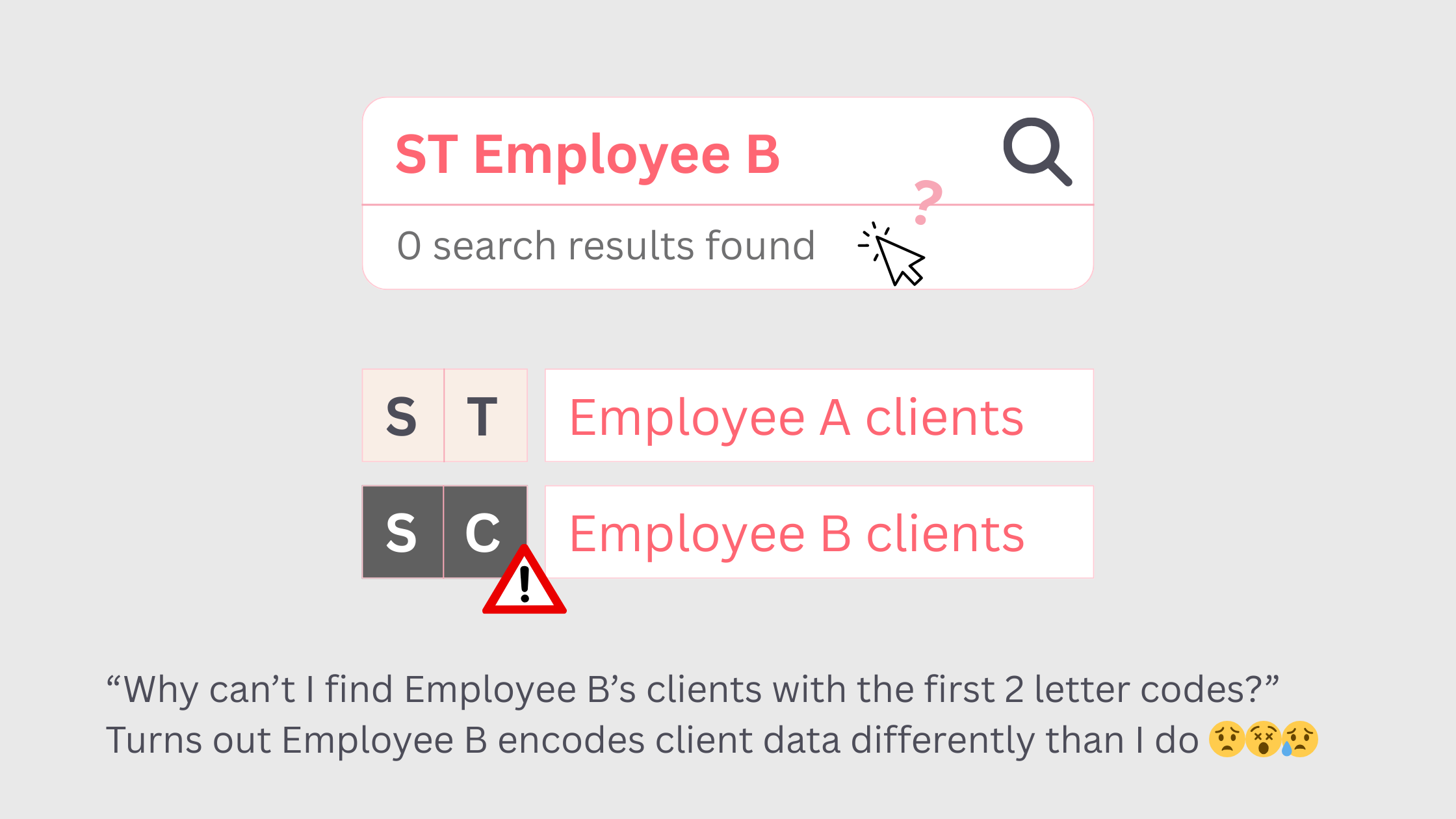
3. Differences due to human judgement: When different people apply different rules, an item may already exist in the database, but varying interpretations can lead to duplicate entries. To prevent this, coding rules should be as clear and comprehensive as possible, leaving little room for individual discretion.
3. Future-proofing and Scalability
To keep coding rules consistent over time, the initial design should account for future business growth, not just the current scale of operations.
Take serial numbers as an example. Since each new item increases the number sequentially, it is important to plan the number of digits in advance.
If you initially only have 15 garment styles and create 2-digit serial numbers (01-99), the system will quickly run out of numbers once your inventory reaches 100 styles.
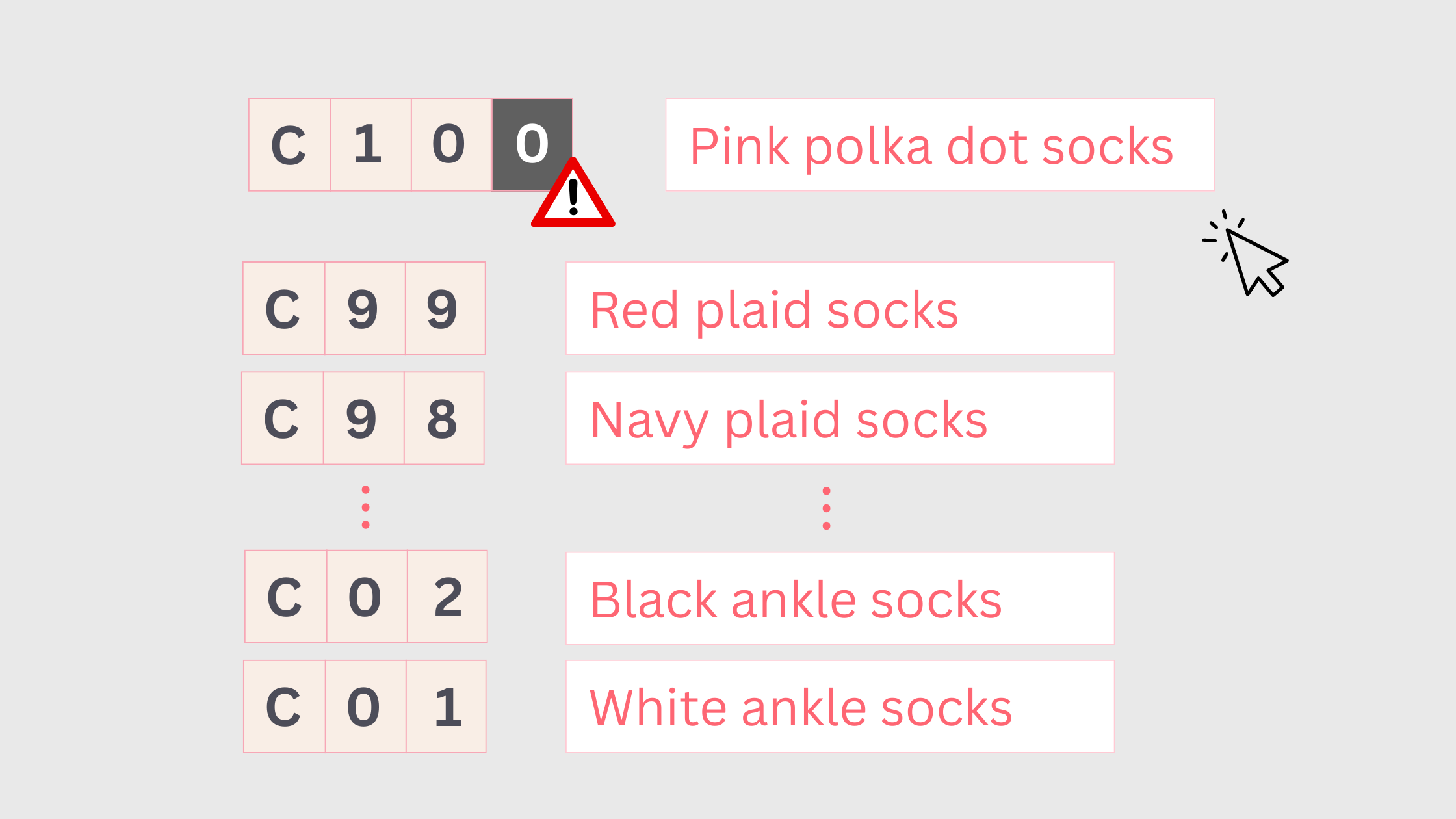
If your industry involves fast-moving products like fast fashion and electronic accessories where new items or redesigns are launched every season or year, you'll likely use up serial numbers much faster than other industries.
In such cases, it is a good idea to incorporate the year and month into your codes. This allows serial numbers to be reset and organized by period, helping prevent the numbering system from becoming overloaded or unusable.
4. Add Categorization
By including item characteristics in the code, you can visualize the general attributes of a project just by looking at its number. Conversely, seeing the item itself can give you a rough idea or how its code is structured.
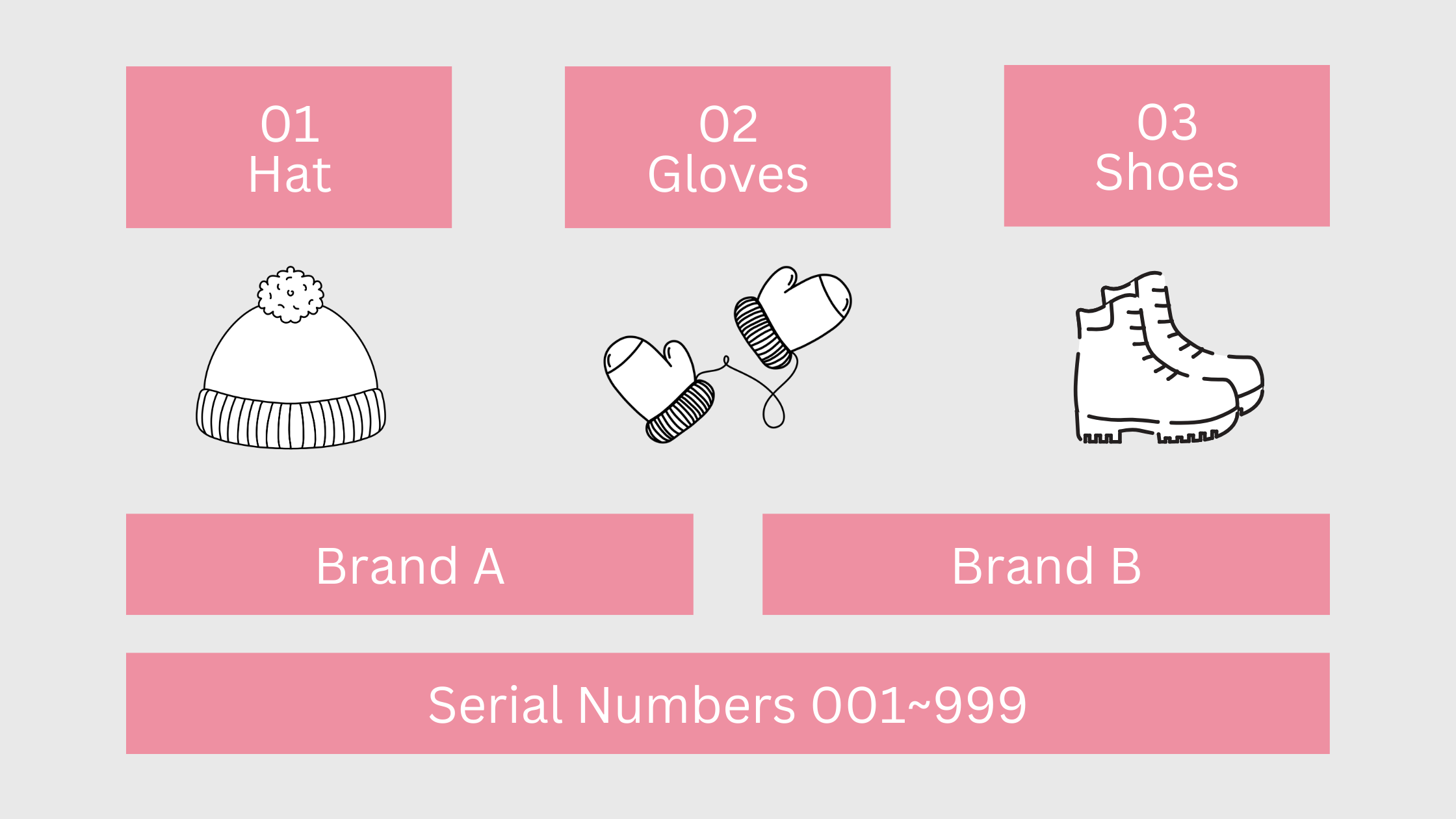
For example, following the rules shown above, an item numbered "01A001" immediately indicates that it is a hat from Brand A, while "03B002" shows that it's a shoe from Brand B. This makes it easier to narrow down searches and locate items quickly.
In addition to combining different categories, the order of elements within the code is just as important.
A good approach is to start with your existing method of organizing items, arranging from major categories to minor ones. If your store classifies items first by type then by brand, the coding should follow the same sequence: item type + brand + serial number. This aligns with employees' familiar workflow, making it easier for them to find products.
5. Improve Readability
During the initial coding process, each digit is assigned a specific meaning. If codes are too long or vary in length between items, it can slow down reading and increase errors. That's why careful planning of code length is essential to ensure clarity and efficiency.
To avoid unnecessarily long codes, consider leaving out elements that add little distinguishing value. For example, in a sneaker series where each series has only 1 or 2 styles, including this element may not be necessary.
Consistency in code length is critical for items of the same type. The most common cause of length discrepancies is failing to reserve space for future growth. When assigning serial numbers, never omit leading zeros (eg. write 001 instead of 1) to maintain a uniform and expandable system.
Other Things to Note
In addition to the 5 best practices above, several small but common mistakes can also impact how well your product codes function and how easy they are to read.
For instance, codes should only contain English letters and numbers. Using Chinese characters or special symbols can cause errors or unreadable text during export, import, or system migration, especially if the receiving system doesn't support these characters.
Additionally, if you often need to visually identify codes, avoid using letters like I and O, which can easily be mistaken for the numbers 1 and 0. This helps prevents errors during manual reading or data entry.

Examples of Coding in Manufacturing, Retail, and Engineering
If you're not sure where to start, you can refer to our sample coding structures for manufacturing, retail, and engineering projects.
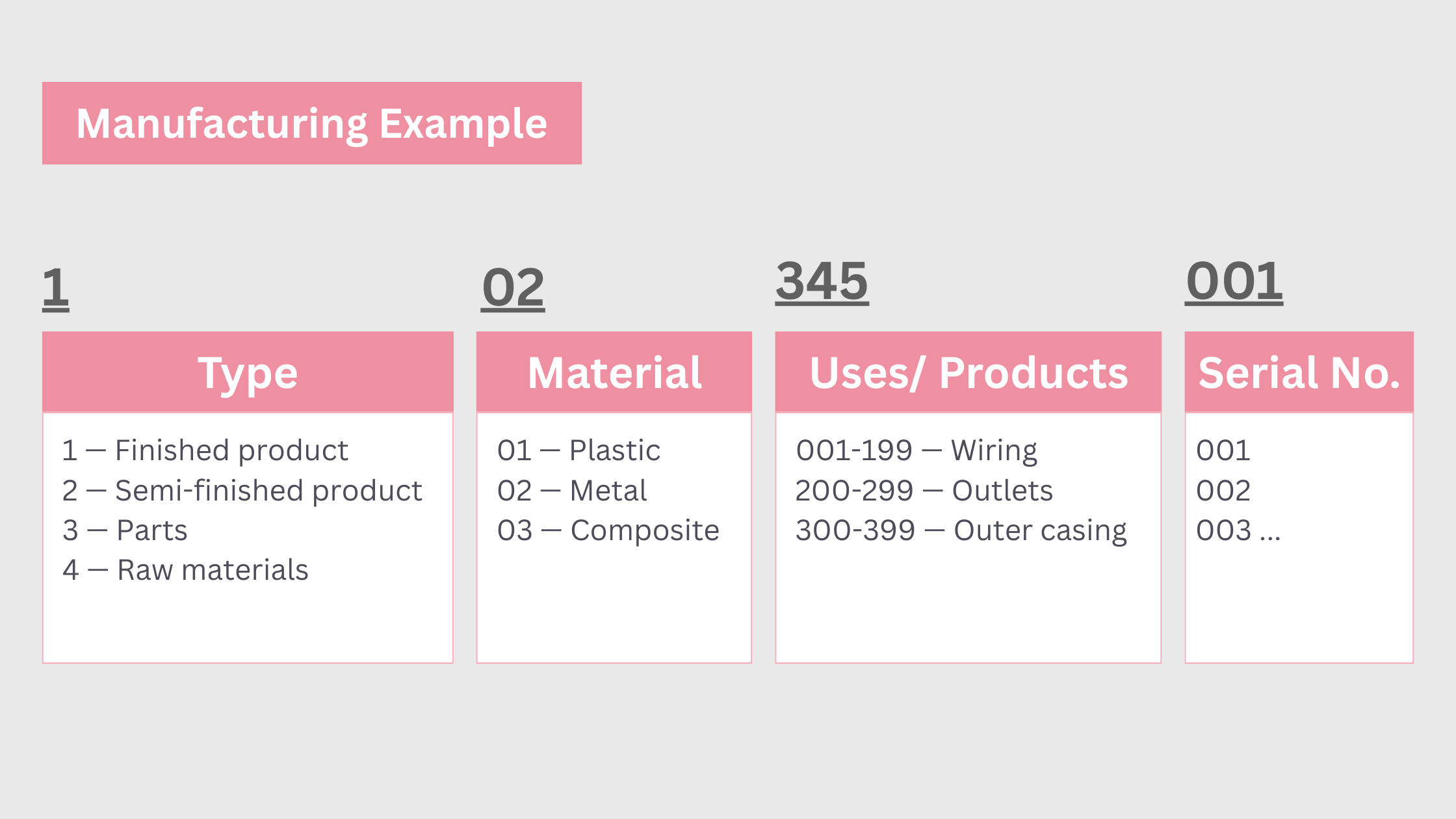
Since manufacturing often involves large volumes of data, it is best to begin by categorizing the items by type. Then start with a top-level category like "materials," then break it down further by physical properties or usage. This approach makes it easier to filter and locate the items you need.
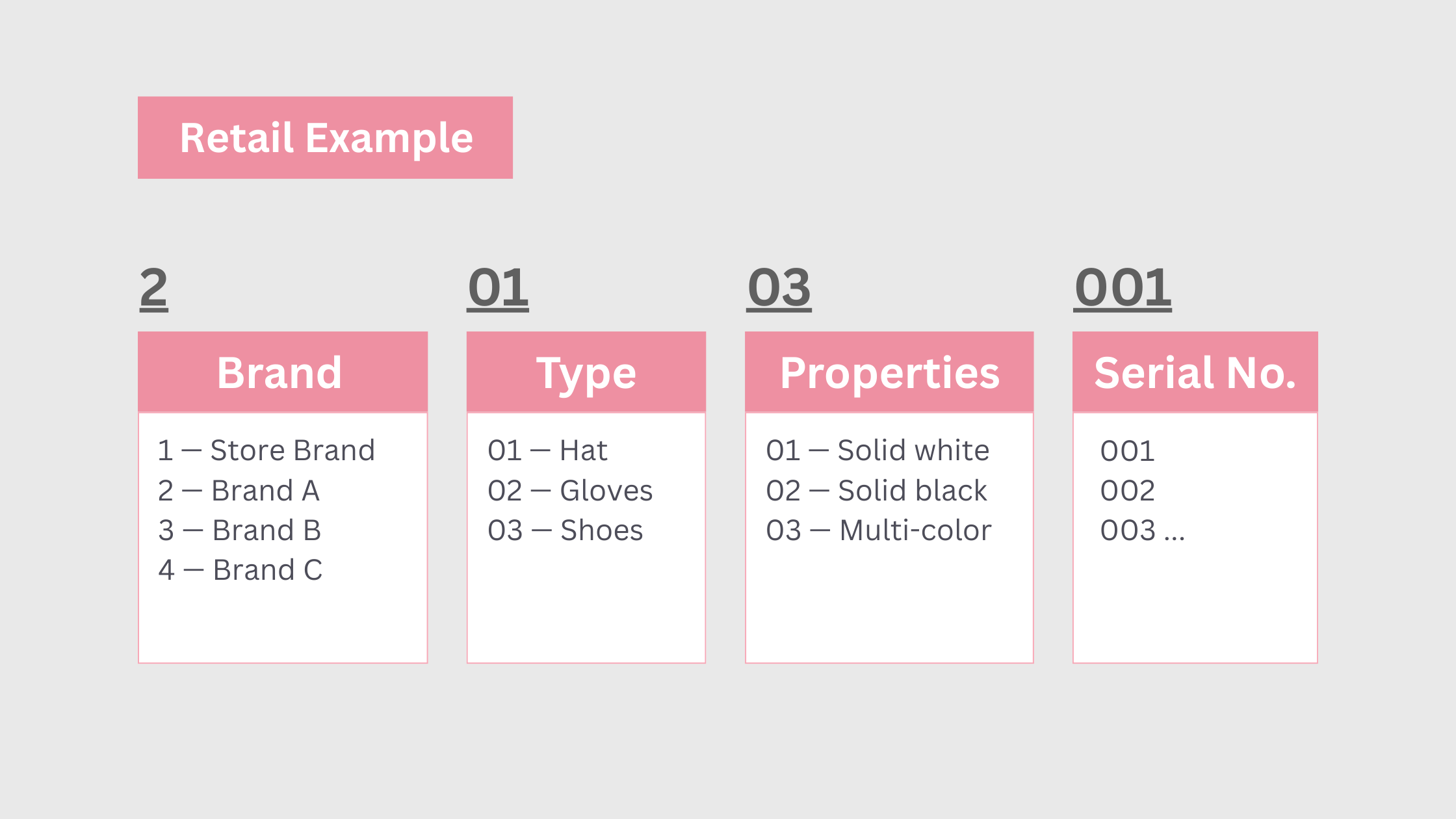
In retail, it is helpful to be able to filter product codes using product categories. For example, start with the brand, then narrow it down by type and attributes such as material or color to quickly find the products you need.
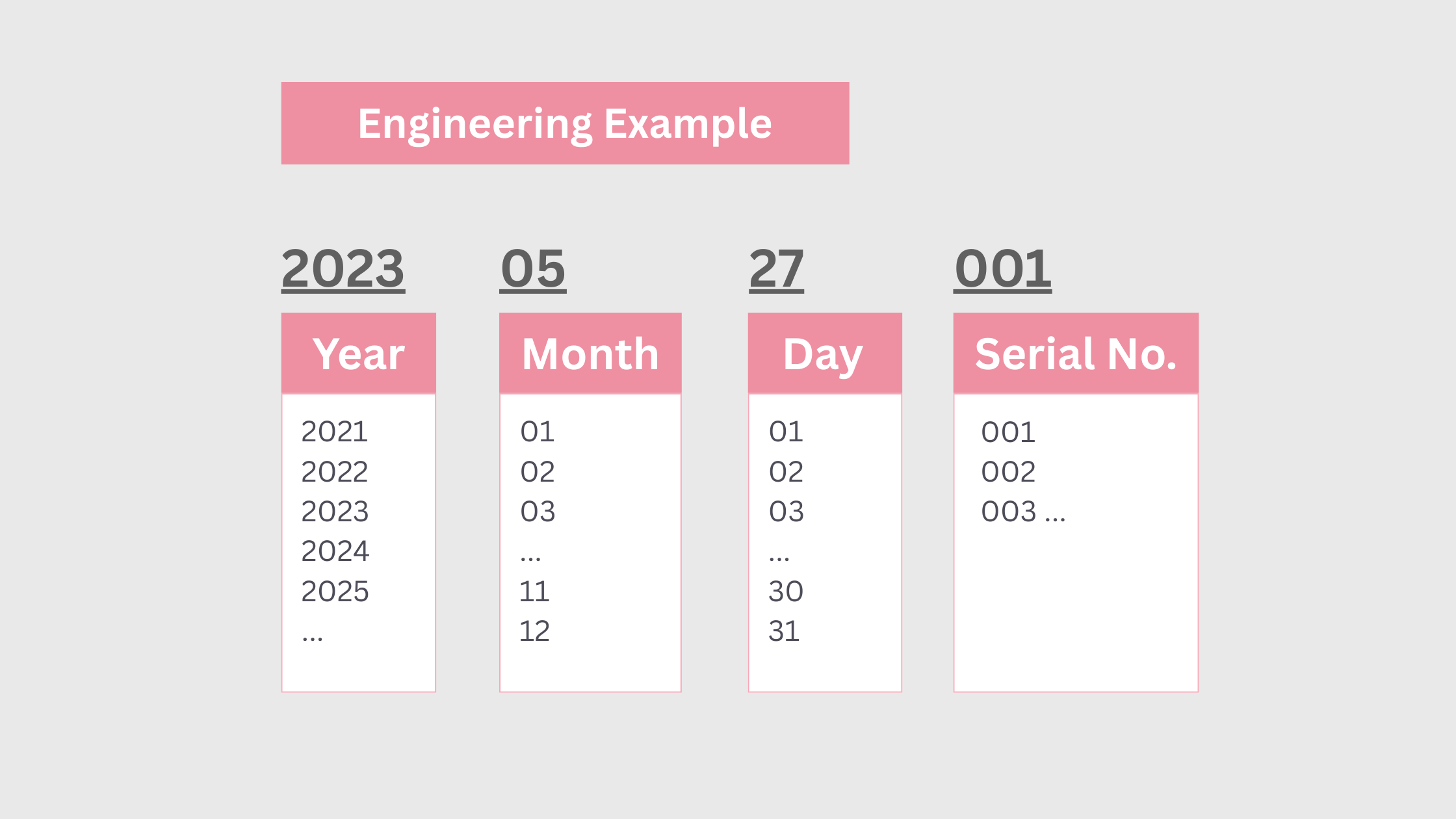
In engineering, coding can be kept simple by classifying items directly by completion date. This provides a quick and efficient way to filter and retrieve the information you need.
How Can I Design Product Codes in Ragic?
Are you a Ragic user? If so, we got some handy tips for you! By following them, you'll be able to handle coding with ease. The system can automatically and safely assign product IDs, item numbers, and material codes for you— saving you the hassle of manual coding!
Enable "Unique" and Create an Error-Free Mechanism
Our first step in coding is to make sure that each code is unique. You can do this by enabling the "unique" attribute for the field where the Product ID/ Item Number/ Material Code is stored, ensuring that no duplicate values can be entered.
Use the "Auto Generate" Field
With the "auto-generate" field, the system will assign a unique number to each record, following the order in which they are added.
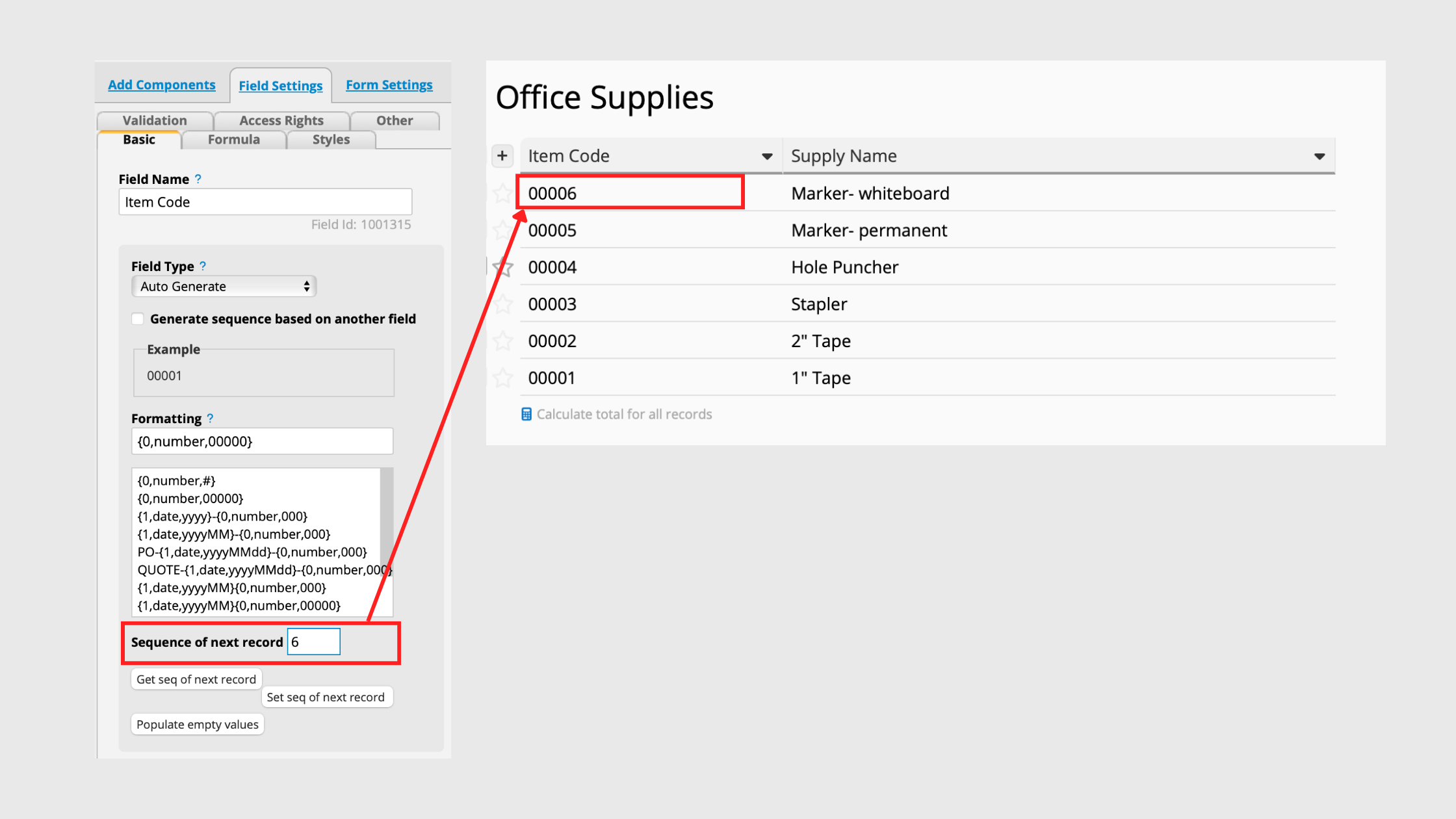
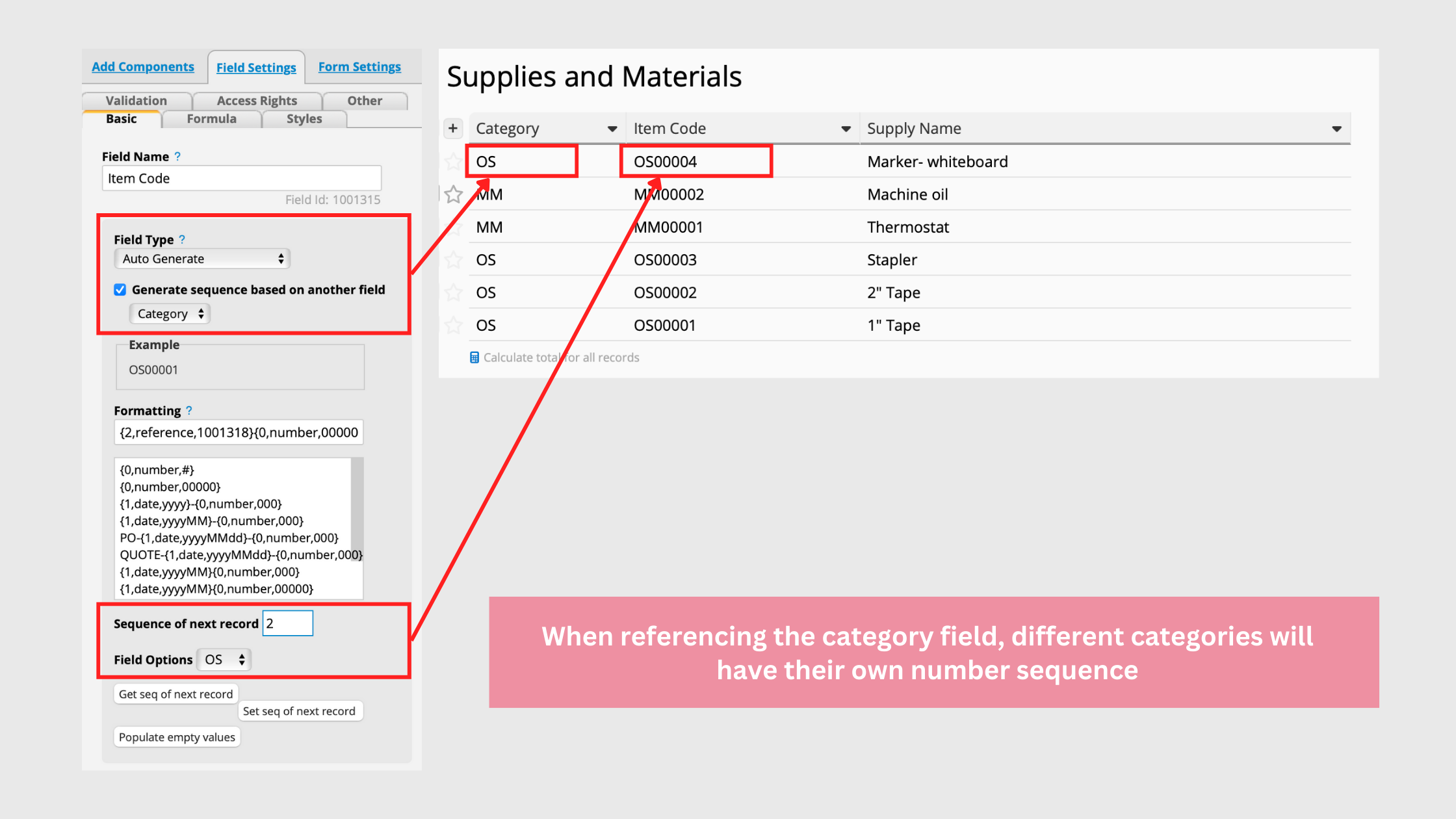
Let's say you want the automatically-generated field to be based on another field. For example, you wish to separate items categorized as "office supplies" and "machine materials" into different numbers to avoid mixing them together. You can achieve this by ticking the "Generate sequence based on another field" box and which can be based on either a "Date Field" or "Selection Field."
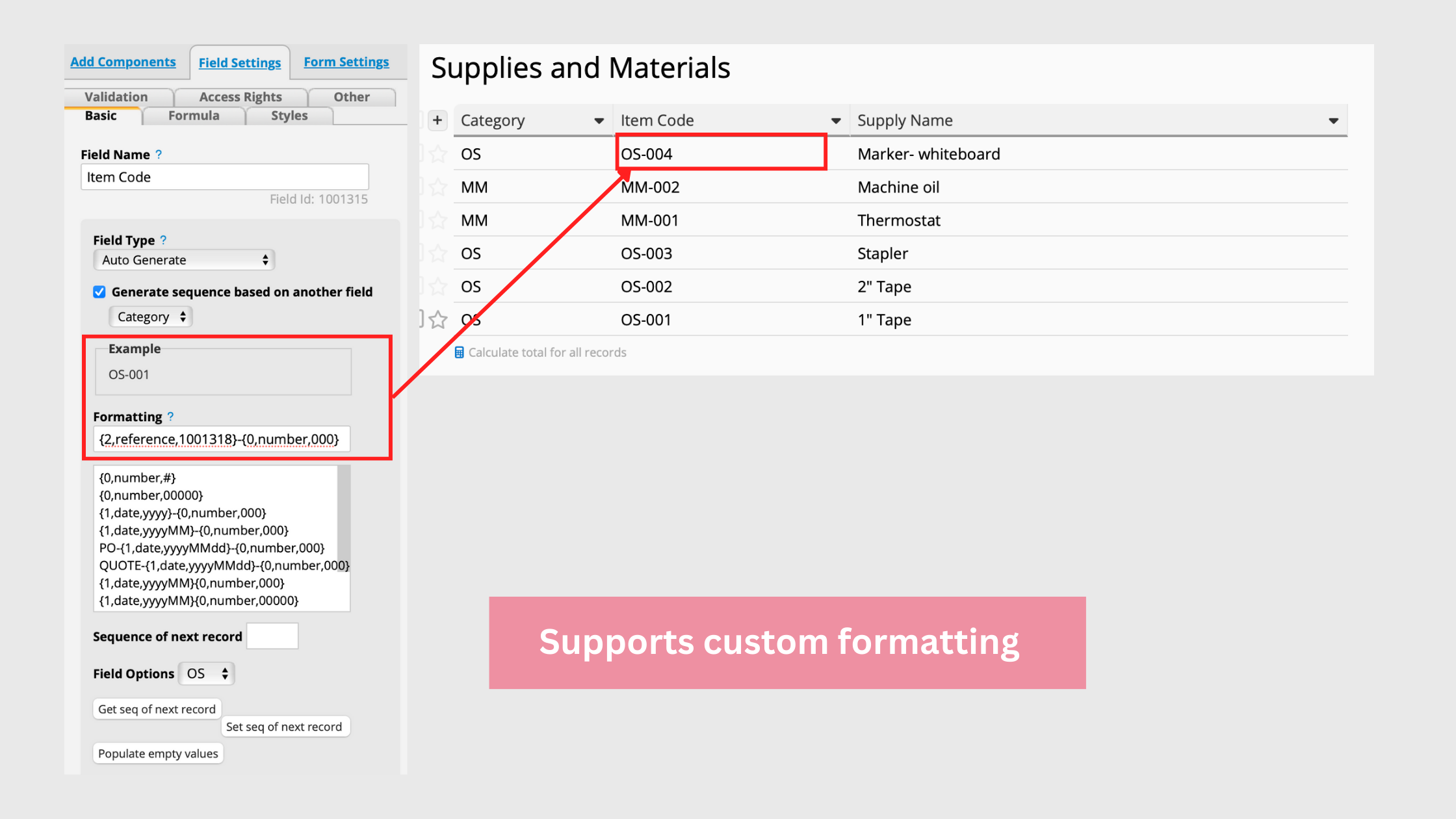
If you wish to further modify the format, you can also refer to this guide and format the code according to your preferences.
You can also incorporate other parameters into the code format. For example, industries that frequently release new products and worry about running out of serial numbers can try combining the codes with "dates" to allow the codes' serial numbers to be reset and reorganized periodically.
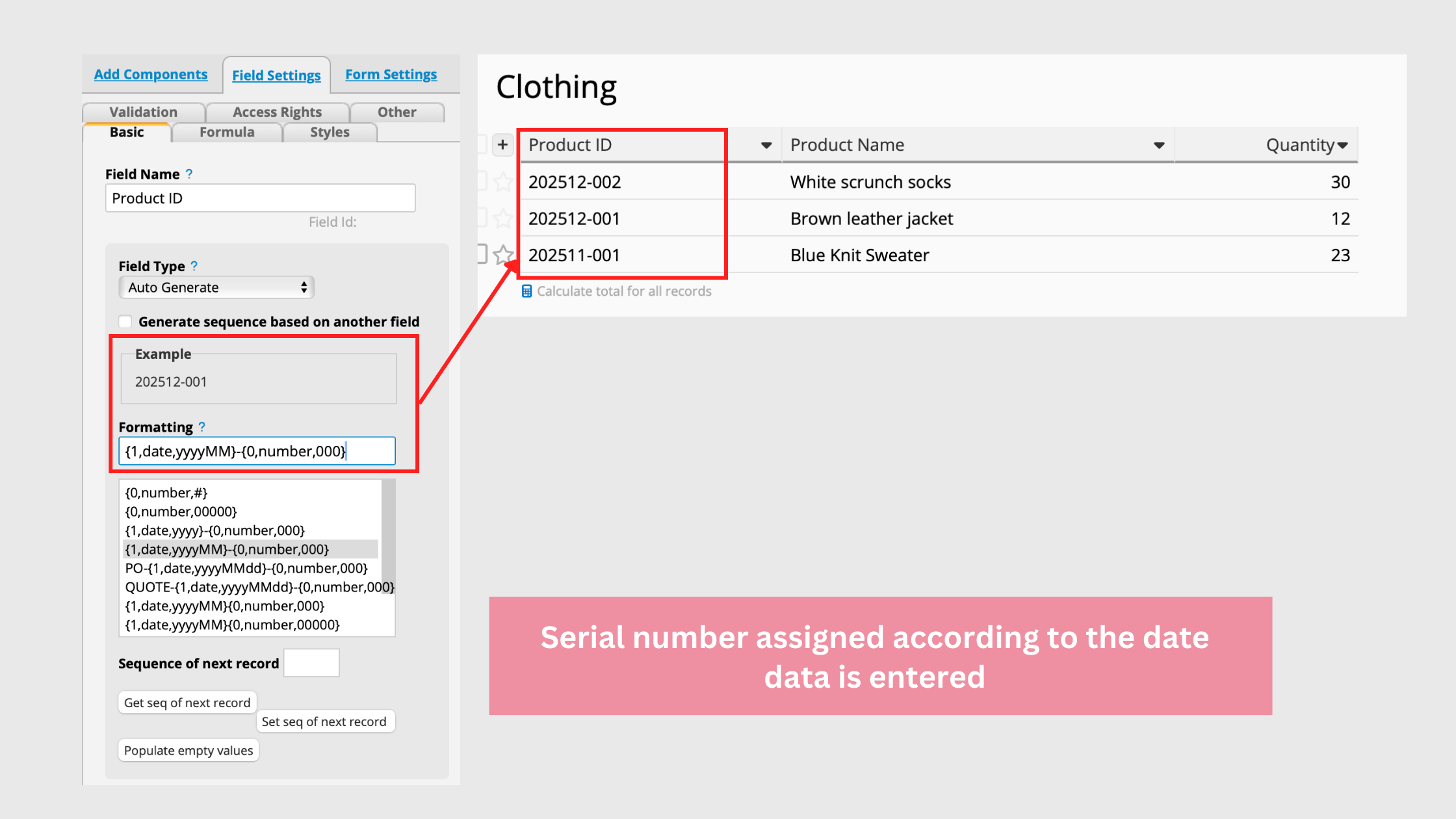
For example, by adding {1,date,yyyyMMdd} to the format field, the system will automatically include the year, month, and day of the date when generating the code, such as "20251209," and generate a serial number based on the subsequent {0,number,000} format. If the data was generated on a different day, it will start from 001 again.
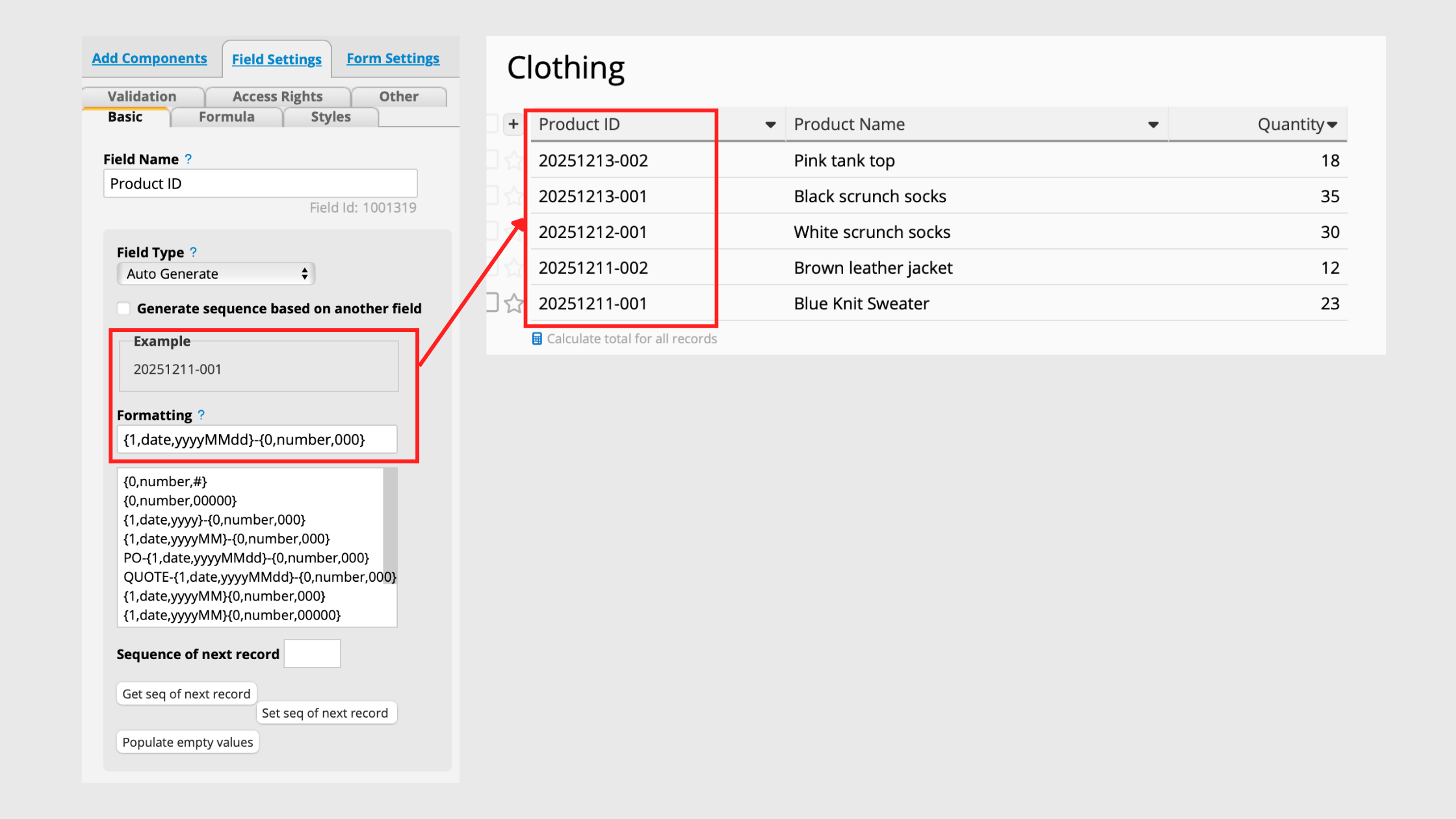
Since the serial number is assigned based on the date format, if the date format is "yyyyMM," the system will assign serial number according to the month. You can refer to the serial number format document to customize how the date and serial number is shown.
Based on Multiple Field Numbers
While Ragic is continuously improving features for generating serial numbers based on multiple fields, you can still create serial numbers based on multiple fields using a few workarounds:
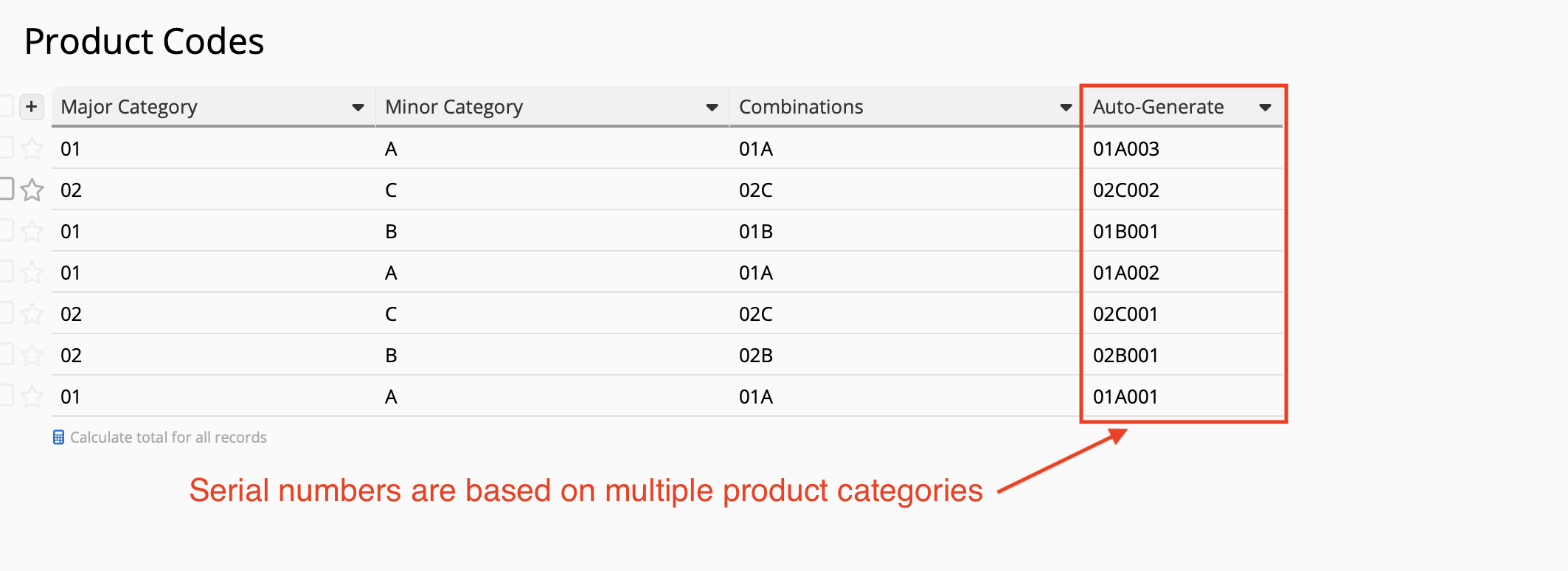
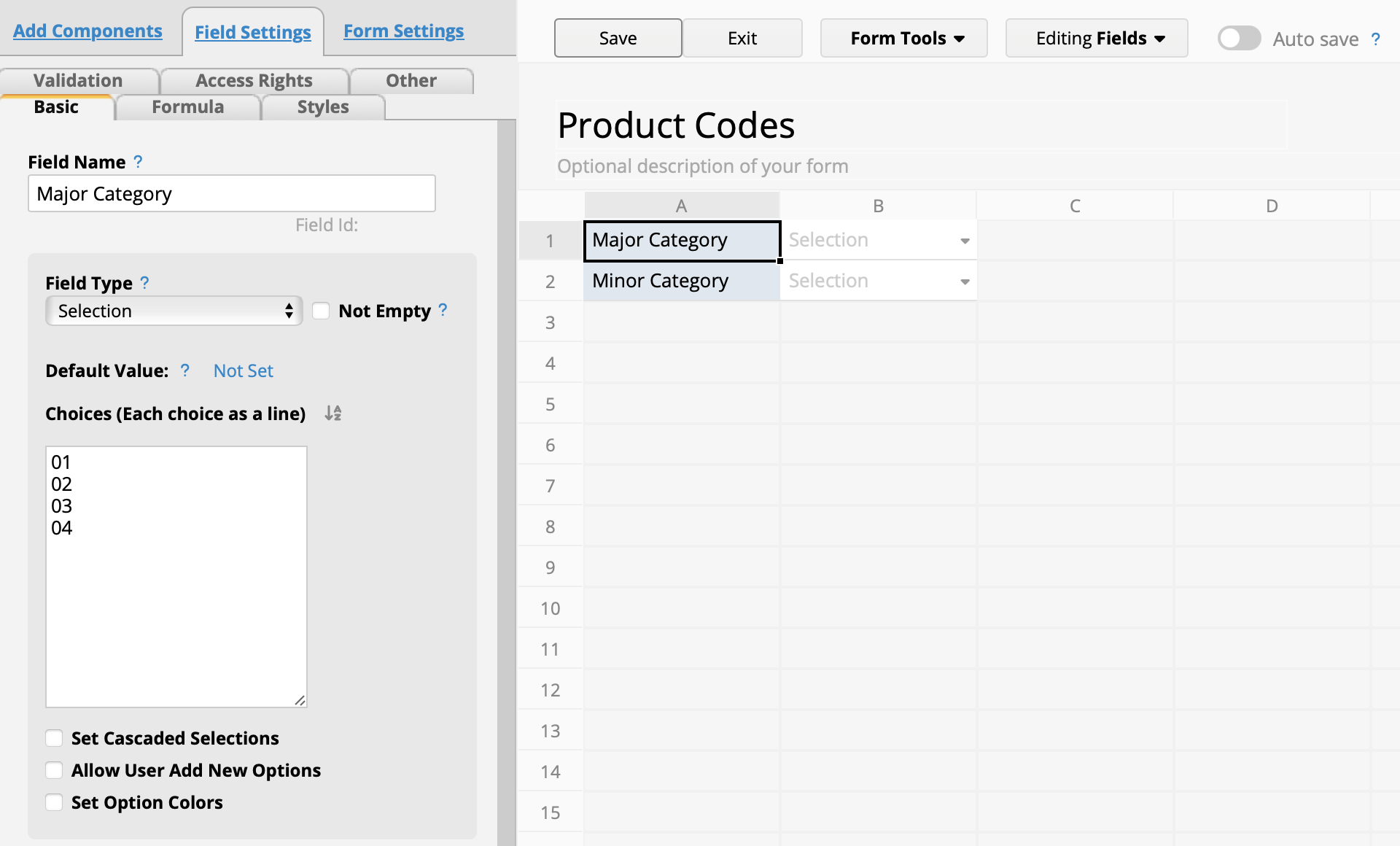
First, we need to organize all the categories and input them into the selection field, which facilitates data entry in the future. For this example, we'll use a 2-level category system (major and minor) as an example.
Next, we list all possible combinations based on the values in these 2 categories. We have a free Excel template (template source: indzara.com) to help list results.
First, enter the categories in descending order into columns 1 through 6. You don't necessarily need to fill all 6 columns, but they must be entered sequentially, which means you can't skip columns (eg. Only fill in columns 1 and 3, omitting column 2).
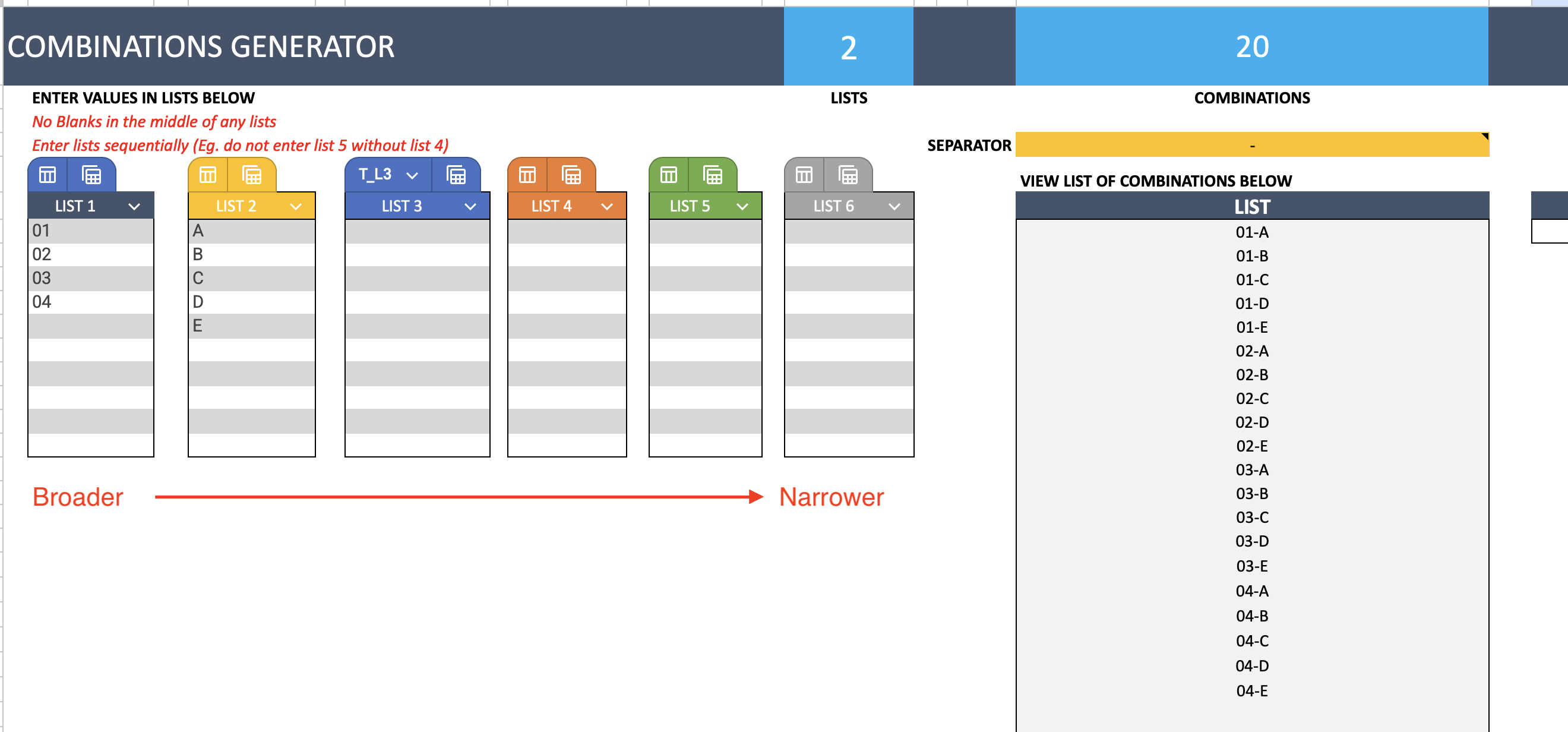
Next, you can adjust the separator if needed. You may include separators such as hyphens ("-"). You may keep it blank if not needed.

You can then copy all the combinations below at once:

After copying all the values returned from the Excel template, add another selection field in Ragic and paste it:
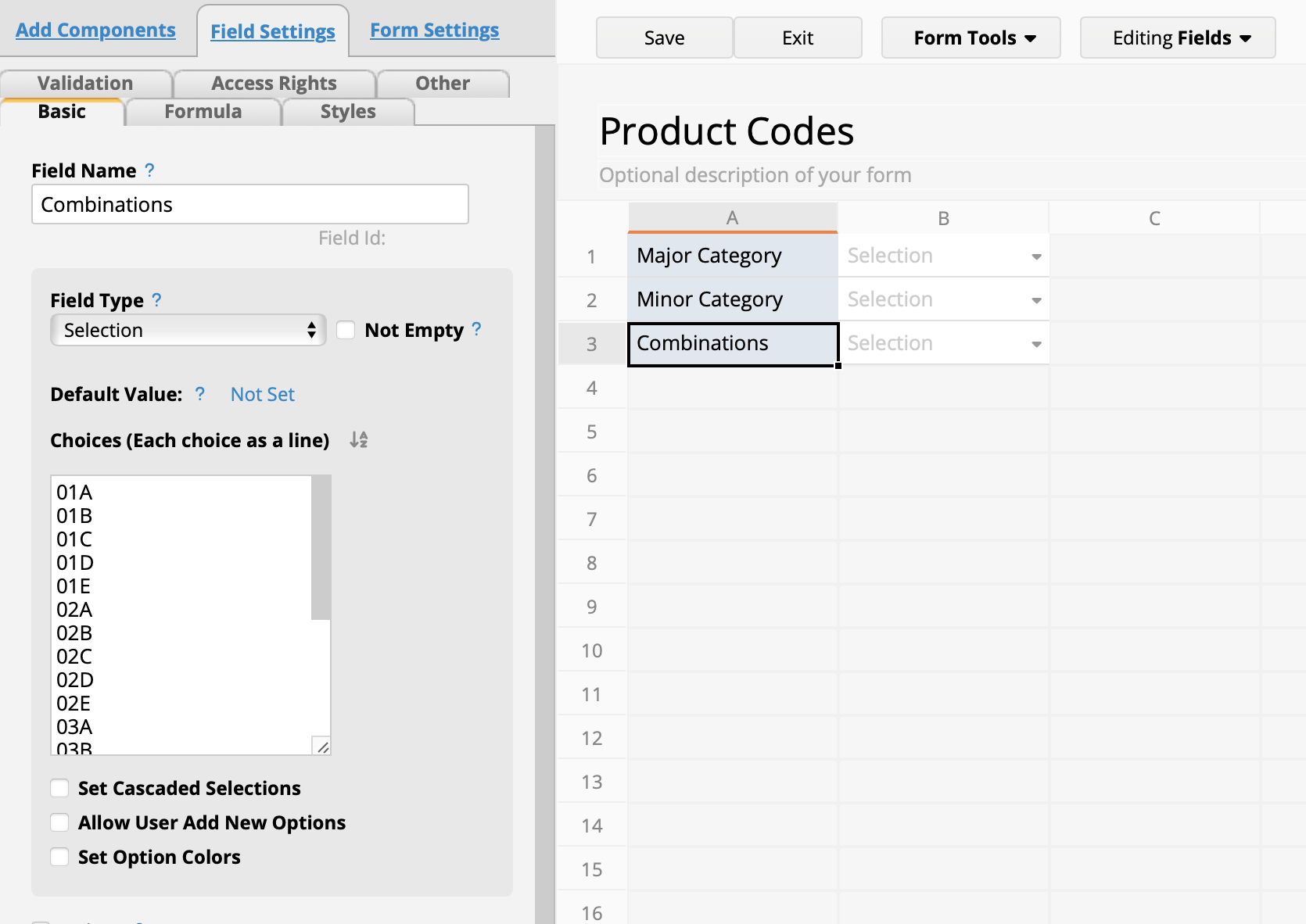
Next, apply a formula to this new field, so that the system can automatically generate the code based on the selected A1 major category and A2 minor category:
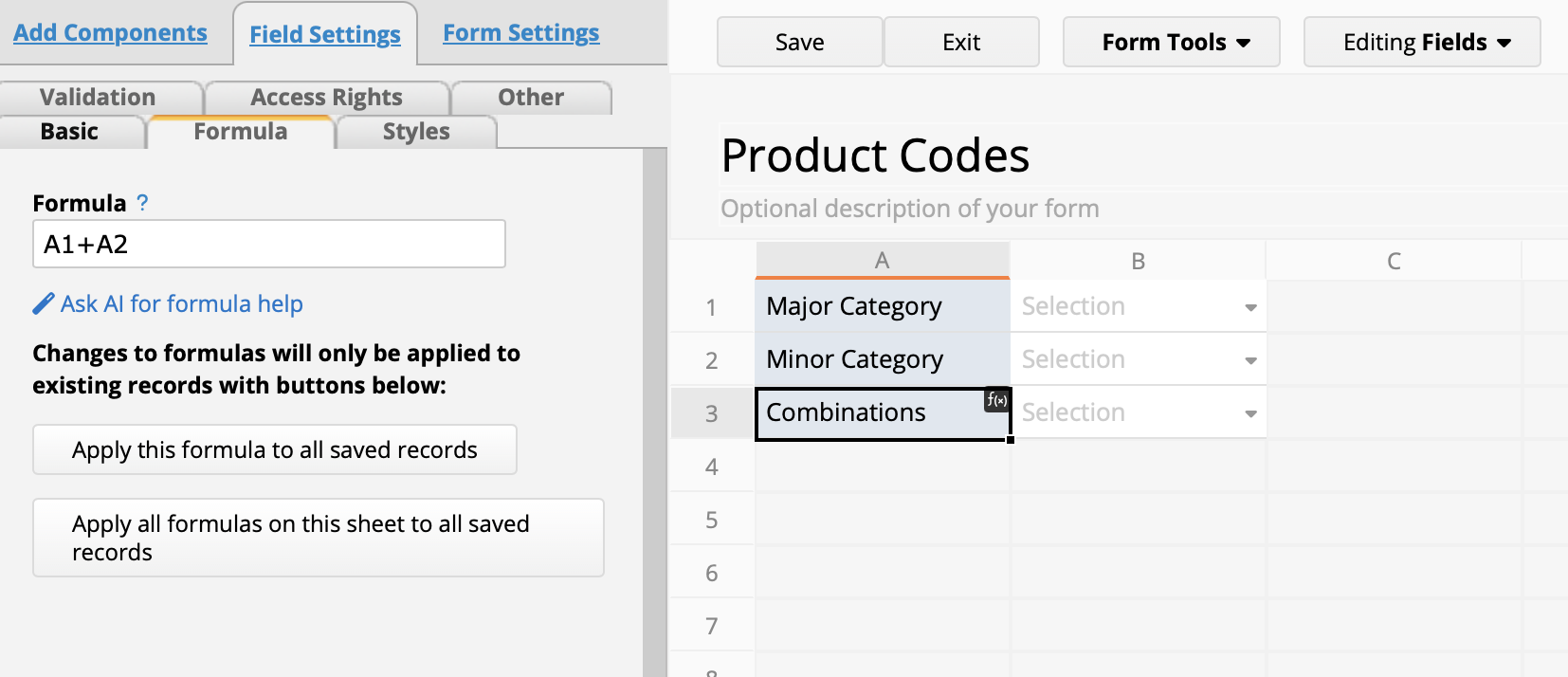
Finally, add a new auto-generate field and configure it to base the serial number sequence based on the value in A3. The system will then assign numbers based on the different categories:

Category: Tips and Tricks > Digital Tips and Tools

