

Selling Products With Multiple Variants? Here Are 4 Best Practices for Managing SKUs
Do you sell products with multiple variants, colors, and sizes? Managing your products by SKUs can make your inventory workflow smoother, clearer, and way less stressful. In this article, we’ll cover the benefits of managing products by SKU and 4 best practices in managing SKUs effectively.
What are SKU Numbers in Inventory Management?
Inventory management is the process of tracking, organizing, and controlling a business’ stocks. In addition to finished products, this may also include managing raw materials and work in progress. This ensures that the right items are available in the right quantities at the right time.
SKU numbers are unique codes that are used to identify and track individual products or variants within a business’ inventory. Each SKU typically represents a specific item’s attributes, such as color, size, model, or version.
What are the Benefits of Using SKU Numbers to Manage Inventory?
Since SKU numbers can help employees identify stocks faster and businesses track inventory levels accurately, using SKU numbers for inventory management leads to operational efficiency. With precise tracking of each product variant, companies can reduce storage and operating costs. Moreover, errors are reduced, orders are fulfilled faster and more accurately, leading to customer satisfaction.
This also means that supply management, sales, and purchasing departments are able to more accurately analyze sales performance by item or variation, allowing for more informed purchasing or production decisions.
4 Best Practices for SKU Management
1. Separate fields for each color and size.
When managing SKUs on a system, it is best to divide the data into its “smallest unit.” This “smallest unit” is often what we refer to as a SKU. This helps separate and distinguish the differences between products according to management needs. Let’s use the following as an example:
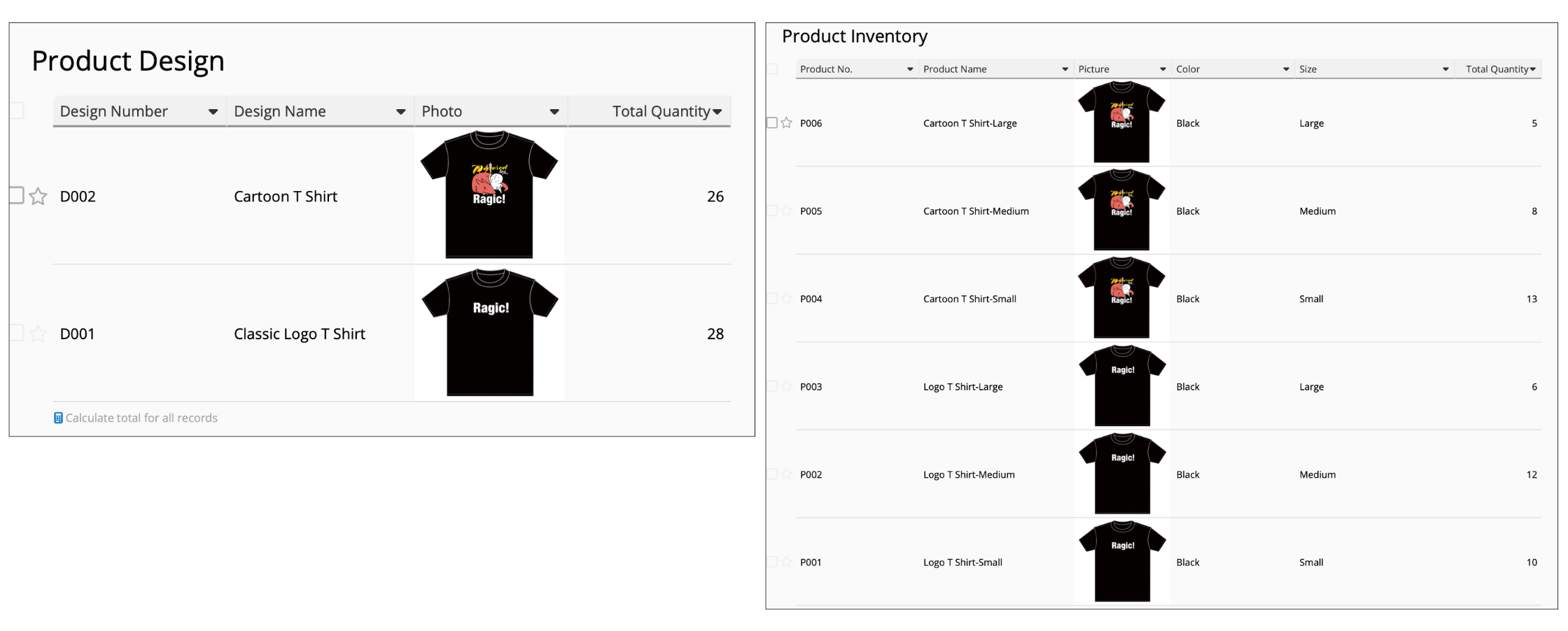
The left image only distinguishes products by design, which is useful if you want to know how many items of each design are in stock. However, it would not be possible to determine how many small, medium, or large shirts are available using this design. It is more meaningful and informative to show each attribute separately, as shown by the example on the right. This way, businesses can clearly see how many of each size, of each design are in stock.
2. Set an effective, scalable product coding system
If product codes simply went by numbers in the order in which they were created, businesses would end up with hundreds of codes in the long run with no way of being able to distinguish them based on their product codes. It is best practice to create a meaningful, easily identifiable product coding system that can help workers determine the product’s name, color, size, and other attributes with just one glance at the product code.
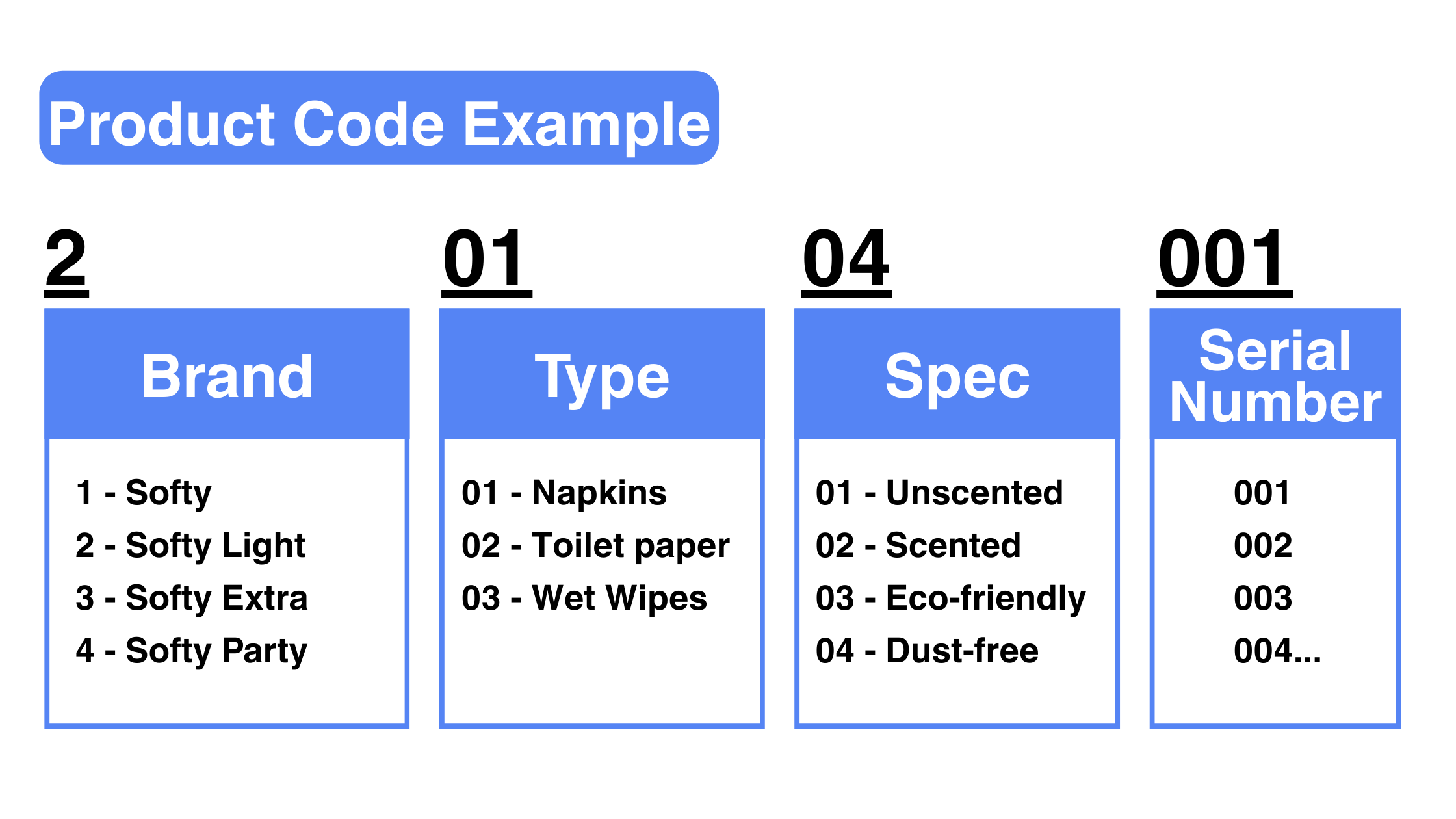
In this product coding example, employees who see the product code 20104001 would know that this is Softy Light, dust-free napkins. This can help reduce errors, increase operational efficiency, and provide a uniform, consistent method of referencing products within a company.
3. Use reports to check stock statuses
If you’re a Ragic user, we recommend using the Grouping Reports to check how many of each SKU are in stock. This way, you no longer have to frequently manually filter the field attributes when searching for data.
For example, you can set the “Design” as the grouping field and list the different size and color options available. You can also save the report to quickly check updated inventory status whenever needed by selecting your saved report.
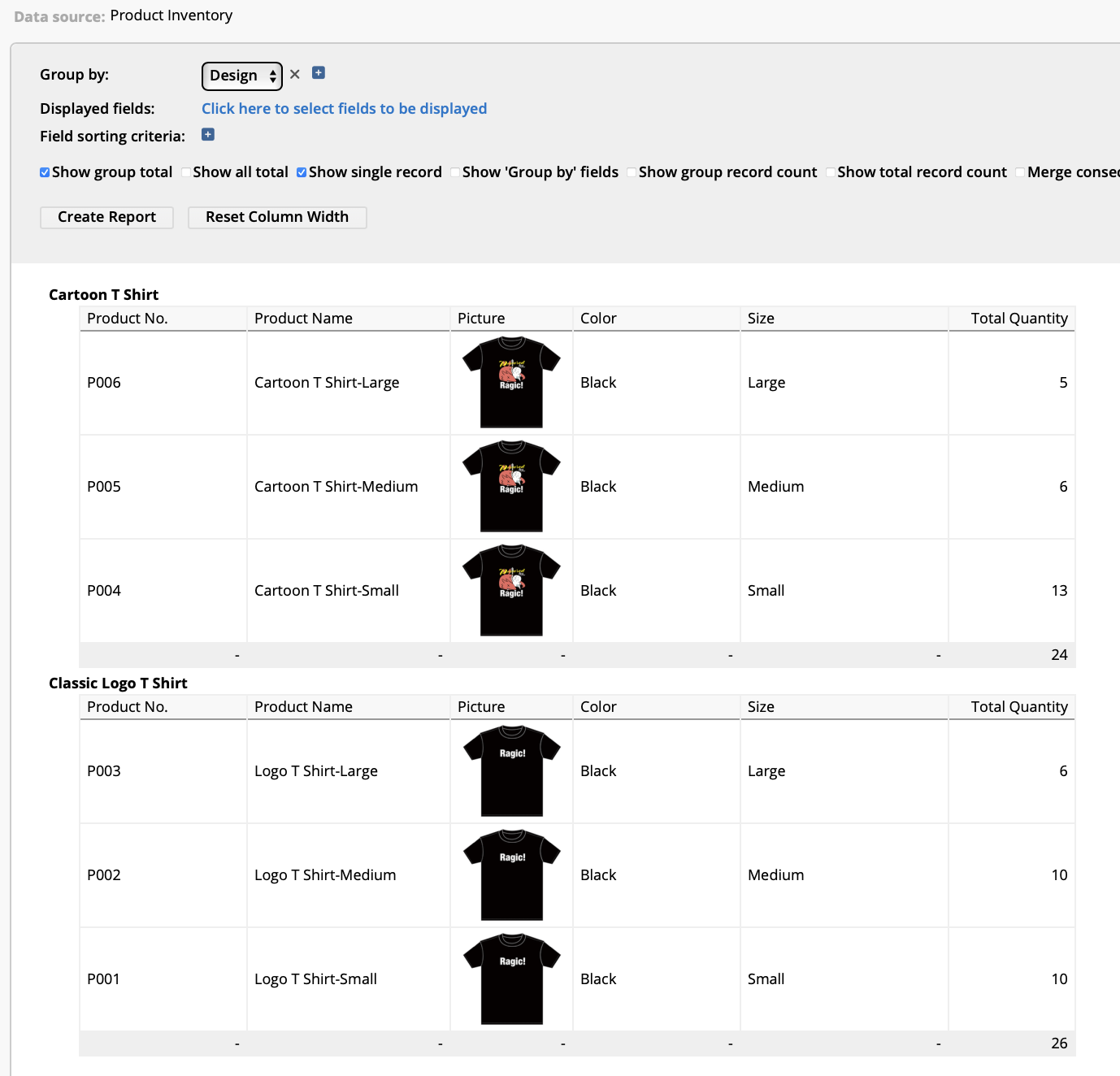
If you’re not a Ragic user, you can explore similar reporting features in your system. For example, if you use Microsoft Excel to track inventory, pivot tables might be a suitable option for you.
4. Create subtables, if your software supports line items
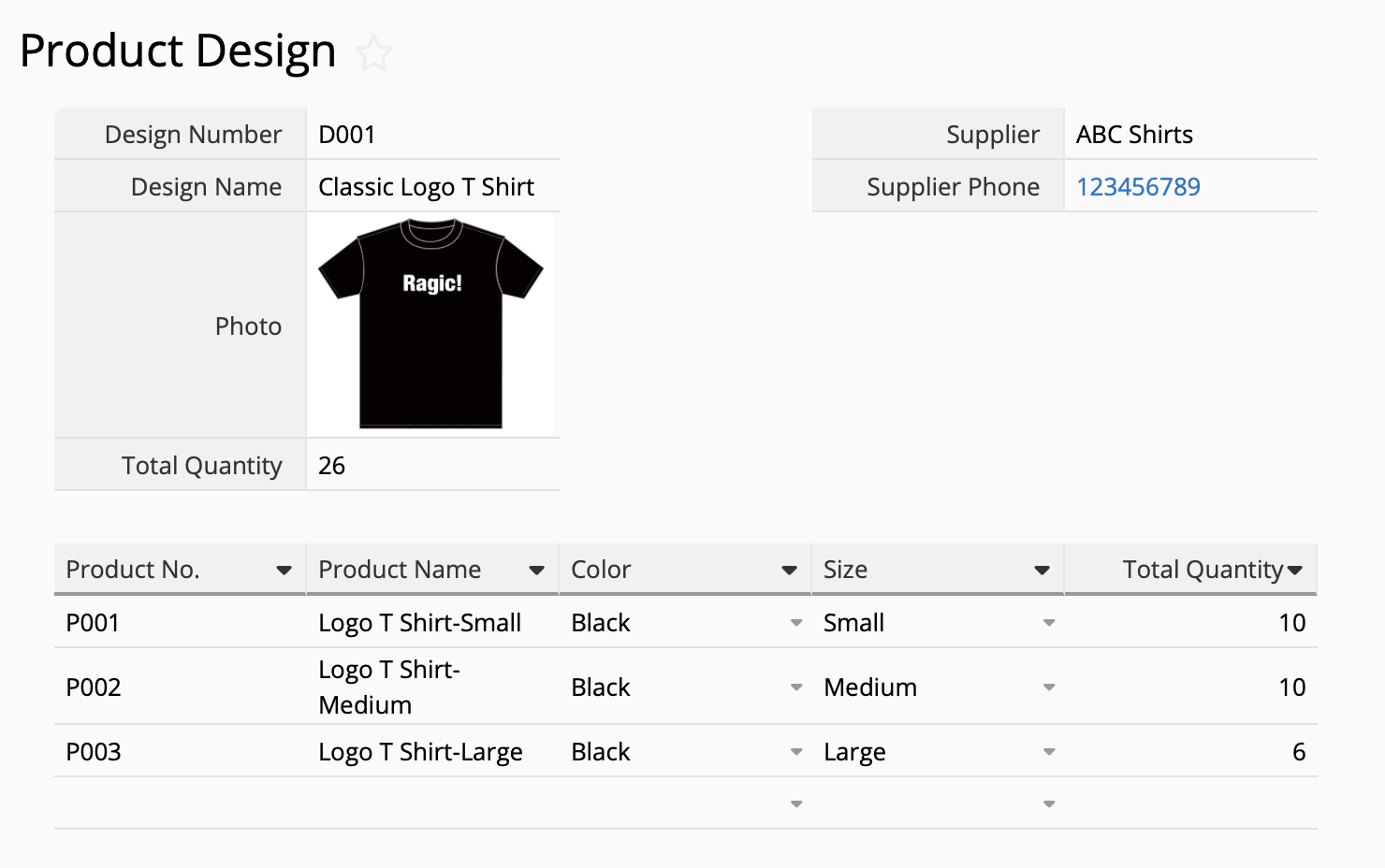
Not all softwares and systems support line items; but if they support it like Ragic, we recommend creating a sheet for the main category (Example: “product design”) and adding a subtable underneath to show how many of each size and color is available for each product design. In Ragic, this is also called a reference subtable.
While grouping reports in the section above is perfect for analysis, downloading, and emailing to others, you may need to perform additional actions such as making additional notes, attaching documents, or linking with other sheets. In this case, creating a sheet with subtables would be suitable for you. In most cases, you can also have both!
Good SKU management is all about clarity, consistency, and efficiency. By separating product attributes in your system, using meaningful codes, leveraging reports, and organizing data into subtables, you can simplify inventory workflows, reduce errors, and gain a clear view of stocks at any time.
Whether you’re managing a few dozen products or thousands of variants, these best practices can make your inventory more organized, your team more efficient, and your customers more satisfied.
Category: Tips and Tricks > Digital Tips and Tools

